
What "Returned" means #
The Returned account status represents that the account is considered "returned" to the club for the club to conduct payment-attempt follow-up. Follow-up can be via internal club collections or a third-party collections agency.
When accounts are returned #
Accounts are returned based on any of these setup conditions:
- The club is set up to have accounts returned after the maximum number of payment attempts runs out. The number of maximum payment attempts is dependent on the club's level of service.
- The club is set up to have accounts returned 30 days after the account's expiration date (for accounts on term agreements). This is available via the client preference Return expired accounts after 30 days in Settings > Client Preferences > Member > Preferences.
- An account is manually flagged by a user to be returned.
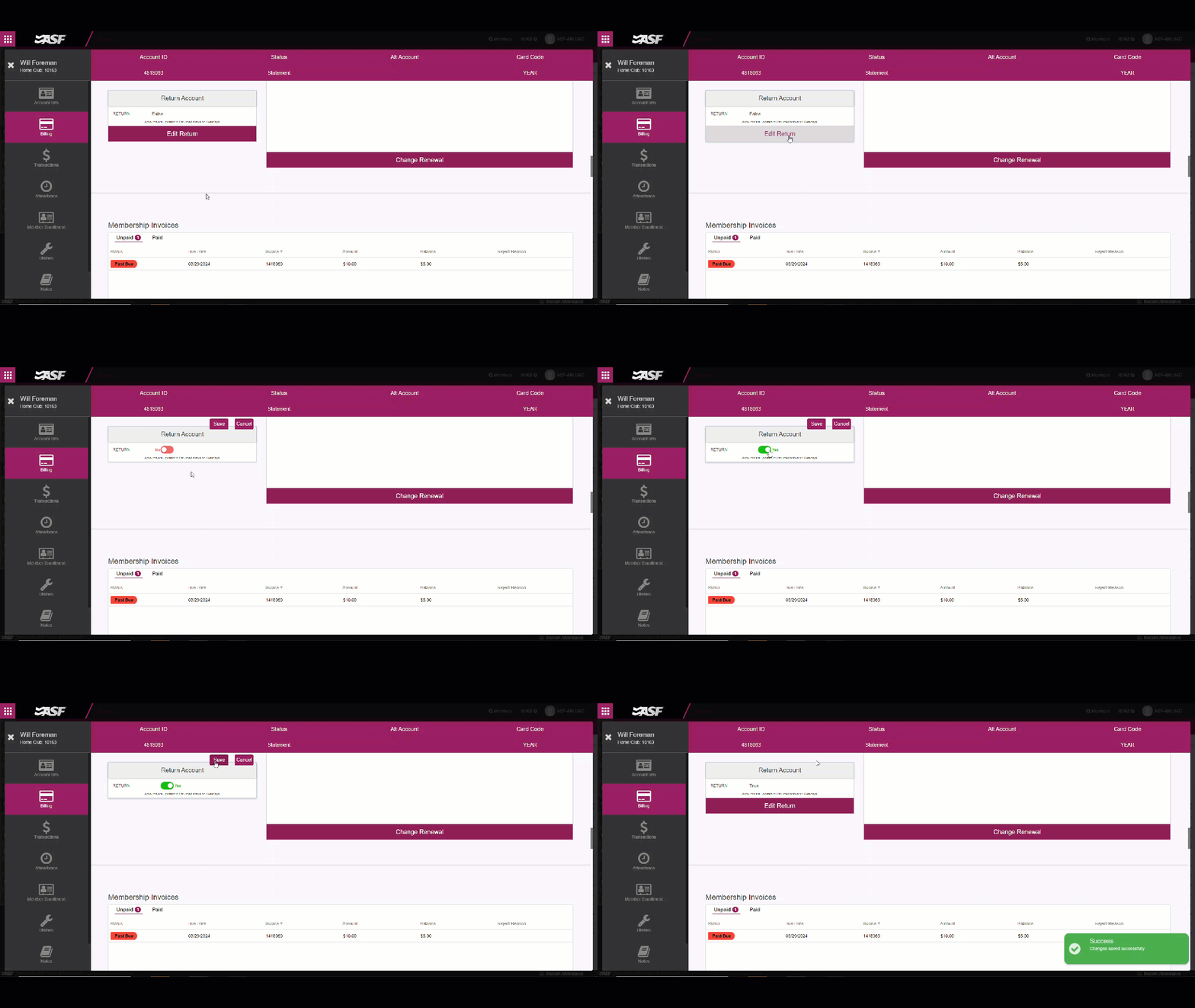
How to identify returned accounts #
Use any of the following reports to identify accounts in a Returned status:
- Active Contracts Report: for clubs not on Invoice-Based Billing. Use this to identify all accounts currently in Returned status.
- Memberships Report: for clubs on Invoice-Based Billing. Use this to identify all accounts currently in Returned status.
- Returns Report: for all clubs. Use this to identify accounts moved into a Returned status within a date range.
Member notifications #
Members on returned or rejected-payment accounts can be notified automatically based on your communication preferences and statement-billing notification settings. See Communication preferences for the setup, and Billing for the statement-billing framing.
What to do with returned accounts #
- For clubs using a third-party collections agency partnered with ASF, returned accounts can be sent to the collections agency via the Returns Report, and ASF will send the account information to the agency. See Send to collections for the full procedure.
- For clubs not using a third-party collections agency, or not using an agency partnered with ASF, no further action is needed.
In either case, if the returned member wants to come back to the club, a new agreement can be created for the existing account using account replacement instead of creating a new account. This avoids creating a duplicate record (see Duplicate accounts).
Refunds on returned accounts #
Refunds related to returned accounts can be processed through Member Management. For the refund workflow, see the Refunds section of Navigating member accounts.
Need help? #
Contact your ASF account manager at clientsupport@asfpaymentsolutions.com.