
What ASF Communication Preferences do #
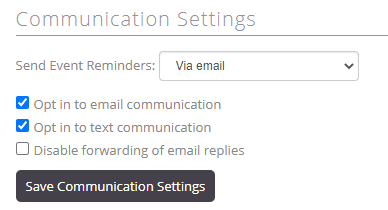
ASF enables automatic communications to members and prospects. The system supports texts and emails for everything from completing enrollment to being marked absent for an event. Staff can manage member and prospect preferences based on desired communication types.
Supported communication uses #
- Mass member email communications through the Reports application.
- Marketing emails and text messages through Club OS.
Club OS integration #
For clubs integrated with Club OS, communication settings enable marketing and promotional messages. When updating member communication preferences, if you are integrated with Club OS you should be making these changes from within Club OS, NOT My Club Business.
Where preferences are captured #
Online Enrollment and Lead Capture
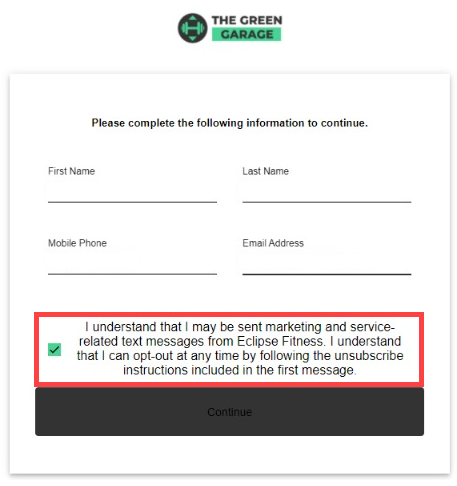
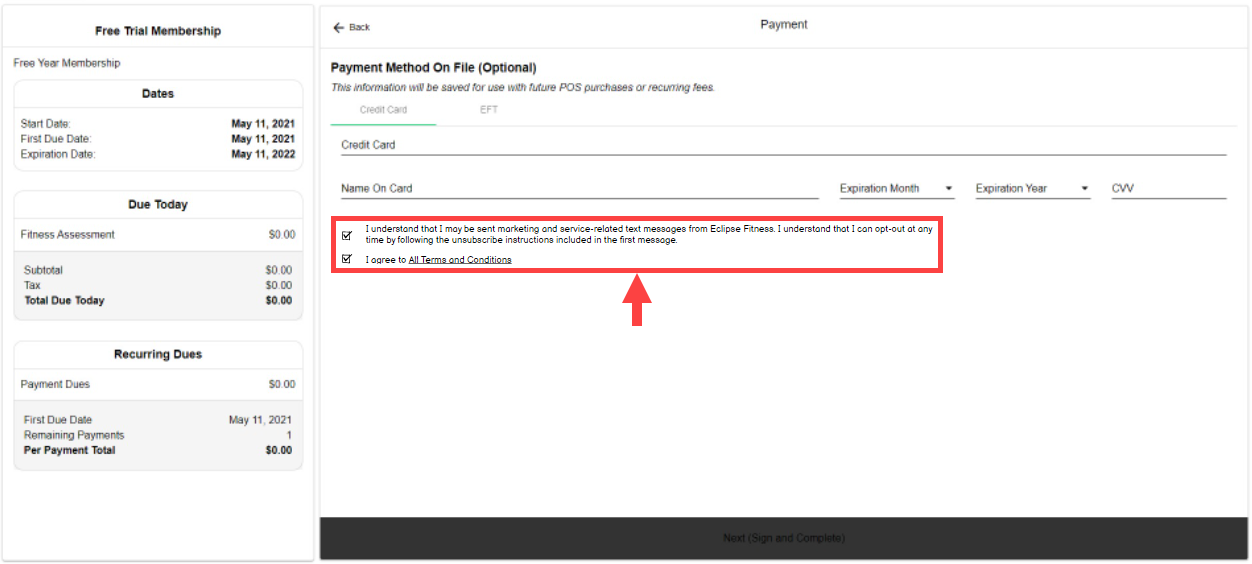
Communication opt-in options appear during signup, allowing members and prospects to select their preferences.
- For Lead Capture, the opt-in appears at the beginning of the flow.
- For standard Online Join, the opt-in appears as a checkbox on the Payment screen.
Member Enrollment
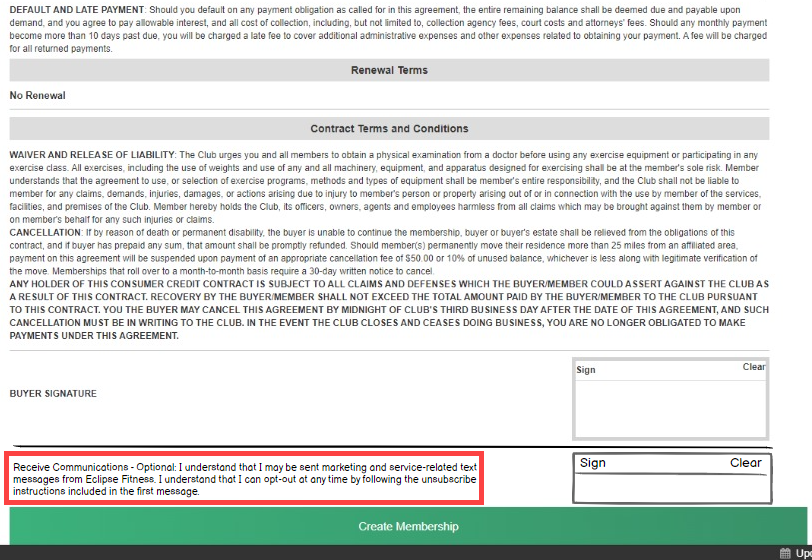
During contract signing, members choose text-message opt-in status via an additional signature box on the contract.
Adjusting preferences after signup #
User permissions
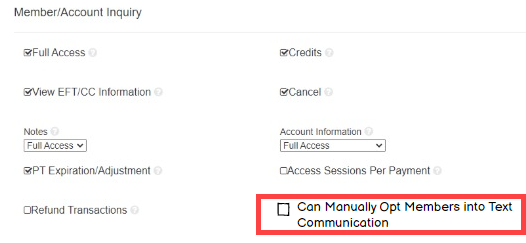
The permission Can Manually Opt Prospects and Members into Text Communication appears in Member/Account Inquiry settings. This determines user access to enable or disable text communications:
- Enabled: users can enable and disable text communications.
- Disabled: users can only disable communications; enable settings remain hidden.
How to adjust
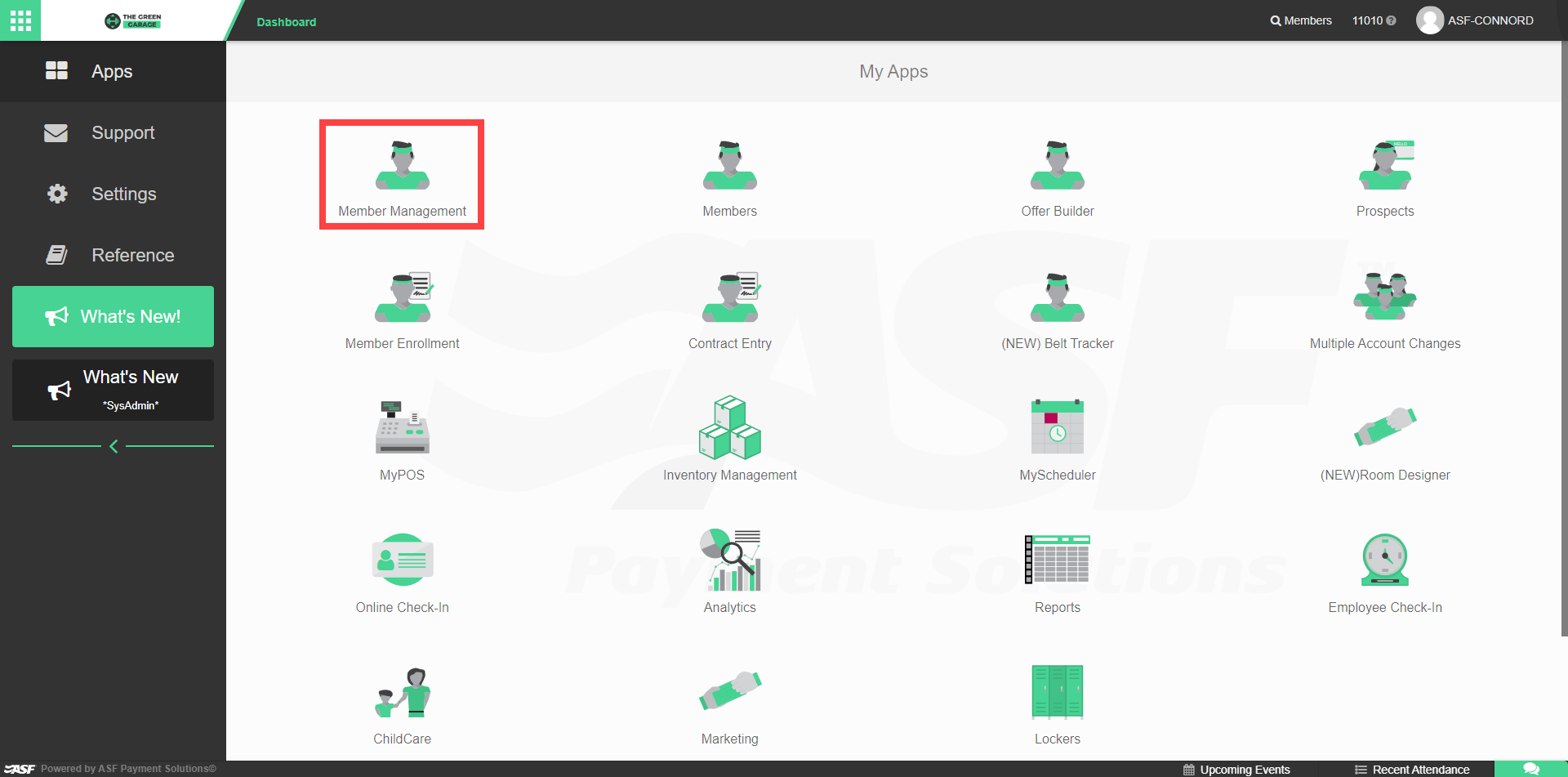
- Access Member Management and search for the member account (see Search and find accounts).
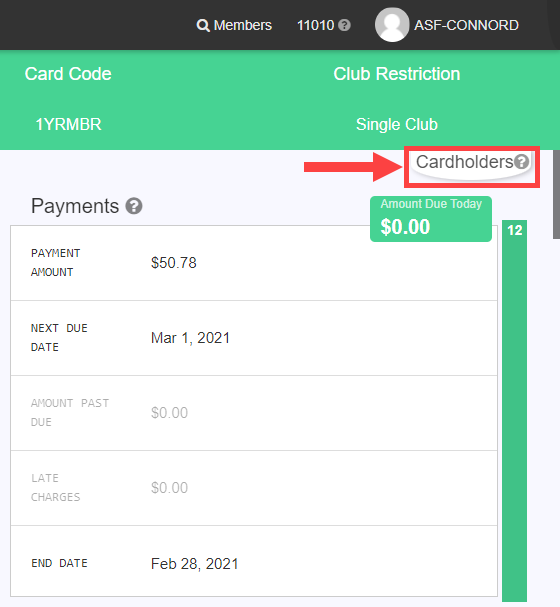
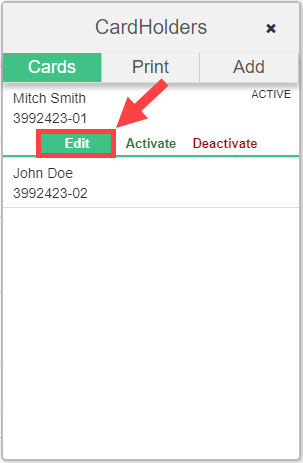
- Open the Cardholders tab, select the cardholder, and choose Edit.
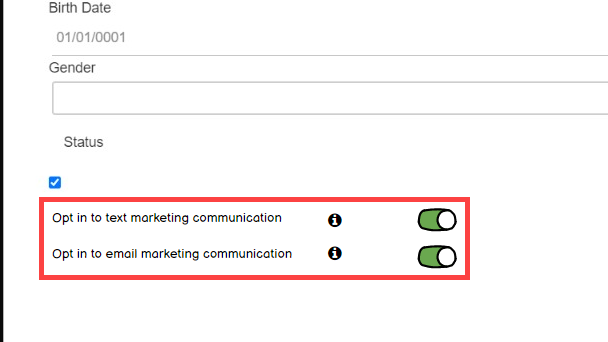
- Expand the Profile window and locate the toggles for text and email communications at the bottom.
For the full Cardholders editing flow, see Cardholders.
Excluding opt-out members from mass emails #
Mass emails can exclude members with disabled email communications using an available toggle on the mass-email send screen.
Need help? #
Contact your ASF account manager at clientsupport@asfpaymentsolutions.com.