
When to replace versus renew #
Membership replacement is used when fundamental changes need to be made to an account. A replacement performs a complete, immediate substitution of the current agreement with a new one.
This is different from a renewal:
- Use a renewal when an existing agreement expires (or is about to) and the member is continuing under the same or a similar offer. See Renew a membership.
- Use a replacement when the member's situation changed mid-term and you need to swap the agreement out for a different one immediately.
How to start a replacement #
There are two ways to begin a replacement:
- Through the Member Enrollment section in Member Management.
- Through the Quick Member Search panel: open the panel, find the member, and select Replace.
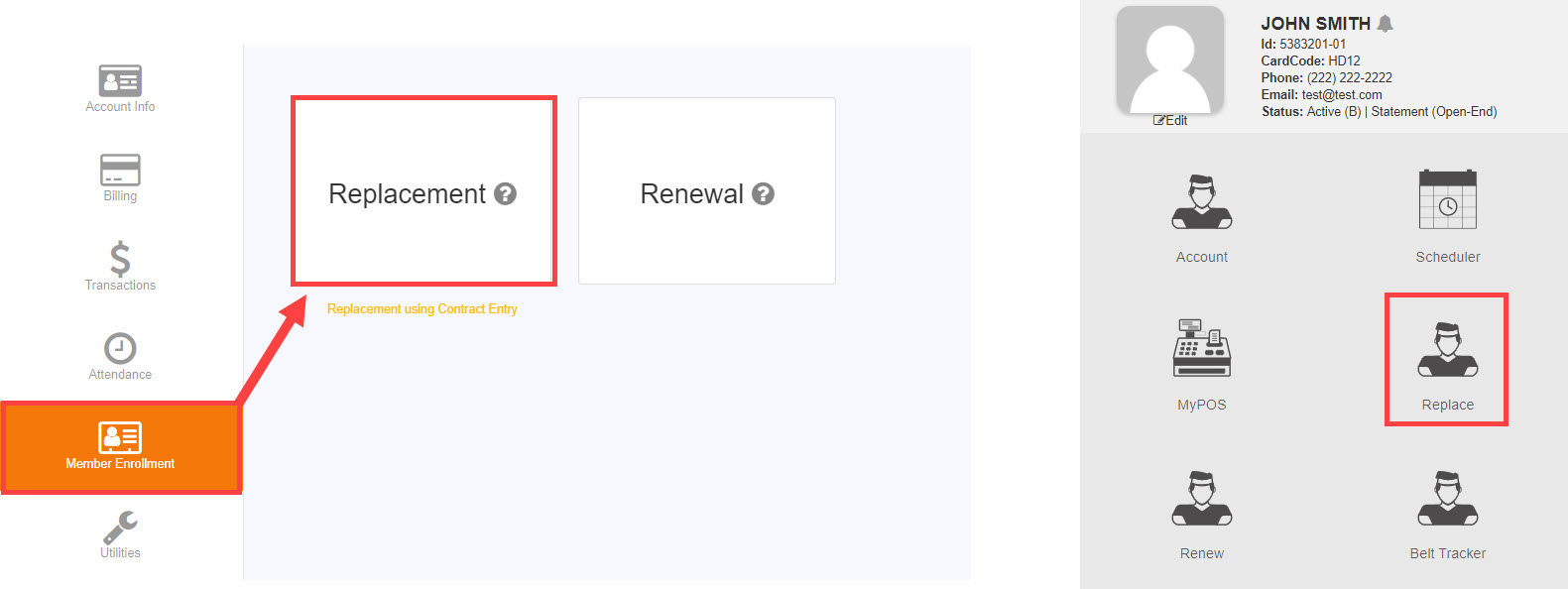
The replacement process #
Selecting Replace imports member information into Member Enrollment, allowing you to select a new membership. The process mirrors the standard sign-up procedure and can also modify cardholder information along the way.
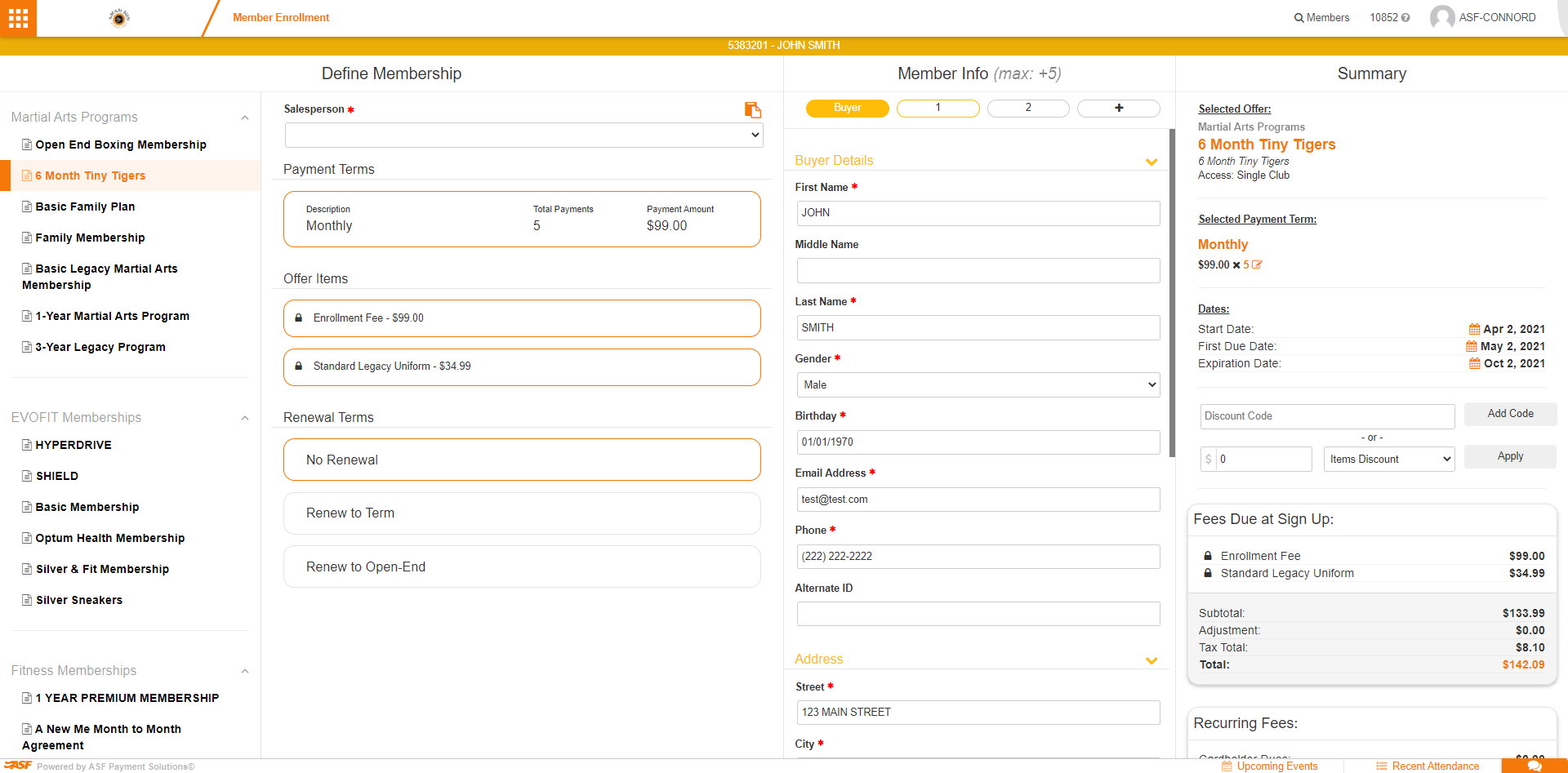
Make sure to review the offer dates, contract terms, and payment terms before signing the new agreement. Member and cardholder information carries over but can be updated.
After the replacement #
Once the replacement is signed, the previous agreement is closed and the new agreement takes effect immediately. Notes on the account record the change.
Need help? #
Contact your ASF account manager at clientsupport@asfpaymentsolutions.com.