
When to renew #
Once a member's membership has expired, if they wish to continue, you can renew them into the same membership, or renew them into a different membership if they feel like switching things up. The process differs depending on whether the member was set up with a Preset Renewal.
If the member's situation has changed and they need a different membership mid-term, use a replacement instead. See Replace a membership for the comparison.
How to renew #
There are two ways to renew any member.
Option 1: Quick Member Search
The Quick Member Search is the fastest path. It is the magnifying glass icon in the top right of My Club Business.

- Select the Quick Member Search icon.
- Enter the name, account number, or alternate account number of the member.
- Select the member from the results. A side panel opens with various member options, including a Renew option.
- Select Renew to start the renewal process.
Option 2: Member Management application
You can also start a renewal from the Member Management app.
- Search for the account you are planning to renew (see Search and find accounts).
- Once you have the account pulled up, scroll down to the Member Enrollment section.
- Select Renewal.
Members with a Preset Renewal #
After starting the Renewal process, you are brought into Member Enrollment. For a member with a Preset Renewal, most of the setup is already in place. The Membership terms are already selected based on the Preset Renewal, but you still need to select your Contract Terms and Payment Terms. These populate from the Generic Terms, so make sure those are set up.
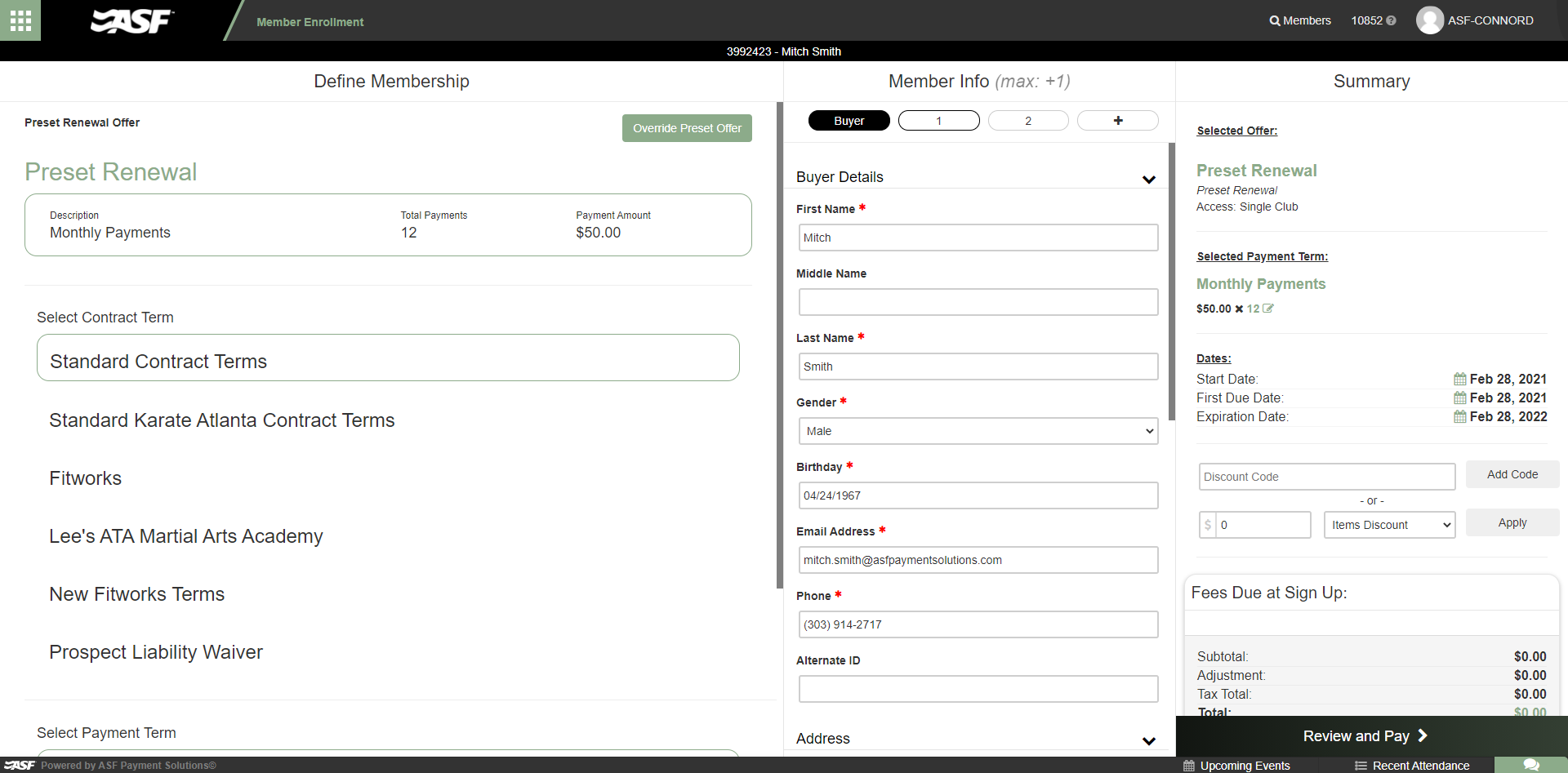
If needed, you can override the Preset by using the Override Preset Offer button. This lets you choose from any of your available member offers to renew the member into. Use the Use Preset Offer button to go back to the Preset Renewal.
Once everything is selected, continue with the renewal. At this point you can edit or correct any member and cardholder information, make adjustments to offer dates, and so on.
Members without a Preset Renewal #
For members without a Preset Renewal, once you start the renewal process you are still brought into Member Enrollment. Without a Preset Renewal, you can select any offer that is available for the member: the same offer as before, or a completely new offer. The member information is copied over, but can be changed and updated.
Need help? #
Contact your ASF account manager at clientsupport@asfpaymentsolutions.com.