
How ASF supports collections submission #
Sending an account to collections submits the member's Returned account balance to a third-party debt-collection agency. ASF coordinates the data transfer to a partner agency on behalf of your club; the agency then pursues the balance directly with the member.
ASF partners with several debt-collection agencies to send returned member accounts on behalf of clubs, based on the club's decision. The partnered agencies are:
- First Credit Services: US only
- Aldous Associates: US only
- Swiftfunds Financial Services: US and Canada
- Collection Receivables Inc.: US only
- Internal Credit Systems, Inc.: US only
For clubs that use one of these partnered agencies, the workflow is built into the Returns Report. For clubs that use a non-partnered agency, you export the data and forward it on your own.
Recommended cadence #
It is recommended that clubs select accounts every week before Thursday, and select accounts that have been present on the Returns Report for at least 14 days. ASF will reinstate Returned accounts up to 14 days after being Returned if the member contacts ASF to make a full payment.
Every Thursday, ASF generates the text files that are sent to collections agencies based on the accounts you have submitted through the Returns Report. On the following Friday, the text file is sent to the Point of Contact (POC) at your collections agency. If no member accounts were submitted over the last week, nothing is sent to the POC.
Some files sent to collections agencies are password-protected. Each collections agency should know the password they need. In the event they do not, they may contact ASF Support to unlock the file.
Send accounts to a partnered collections agency #
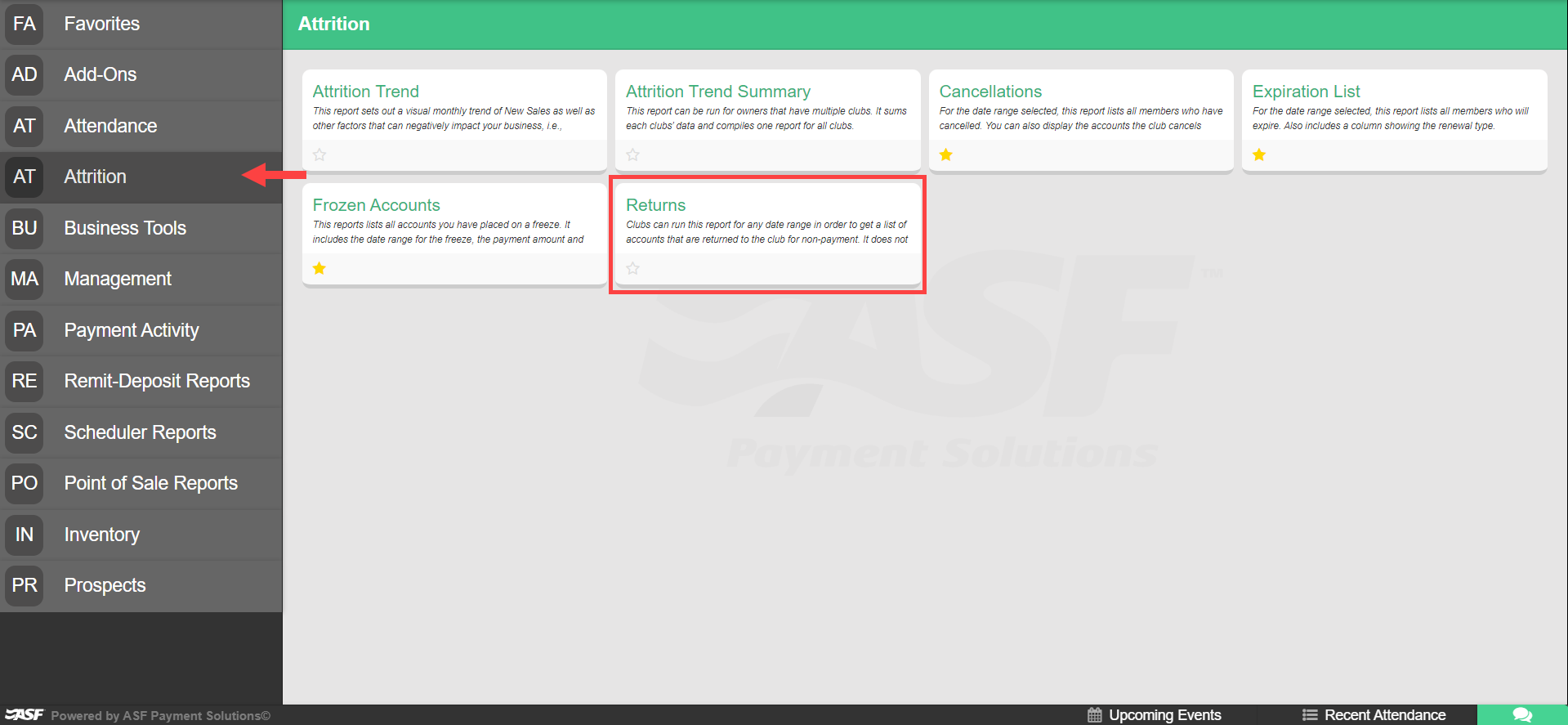
- Open the Returns report from the Reports application in My Club Business. This report is in the Attrition category and displays all members that have been Returned within the selected dates.
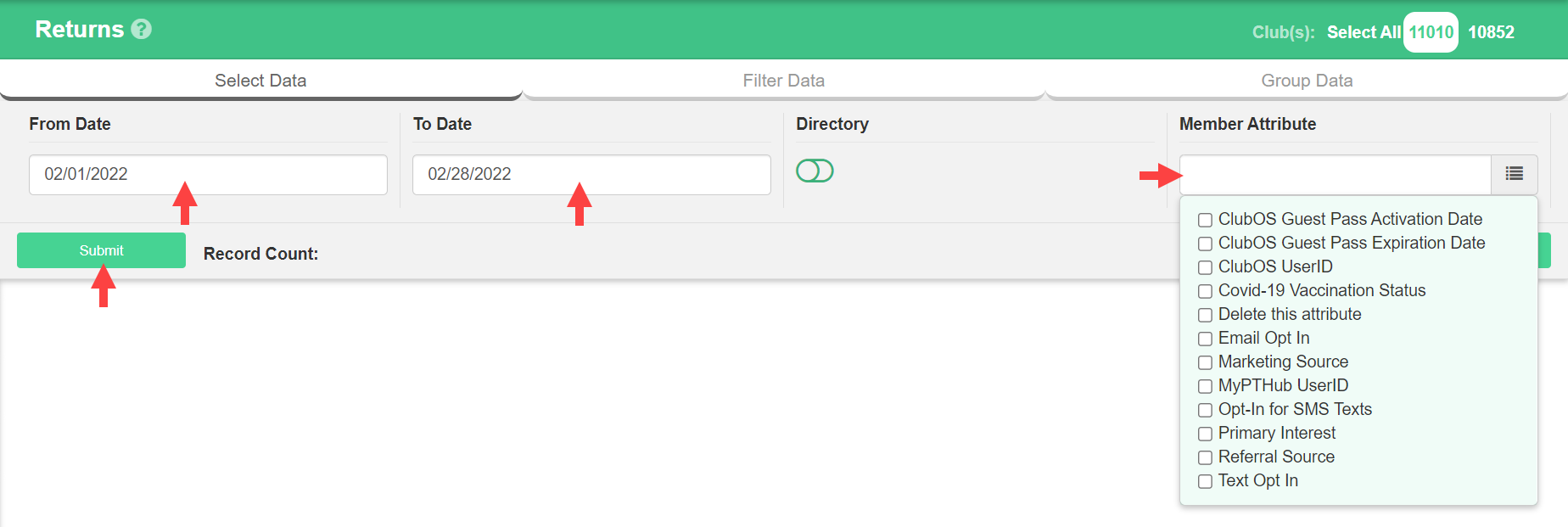
- Select a From Date and To Date to pull data for the report. Optionally select any Member Attributes you want to include in the report.
- Once the data has loaded, flag each member account you want sent to collections. Once you have selected all members you need to send, click Send checked to... This sends the selected members on to the next step in the process.

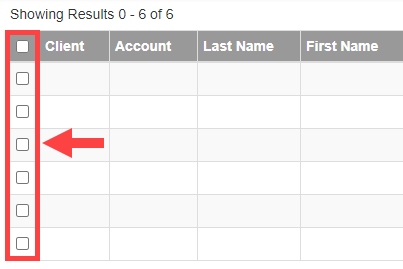
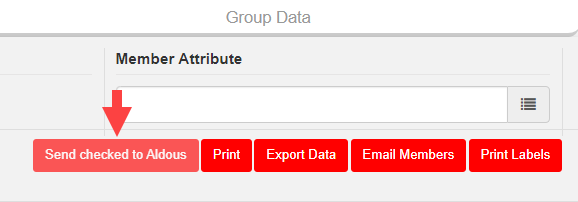
Once submitted, the member list is added to ASF's database and will no longer appear in the Returns report by default. If you ever need a list of returned accounts that were already submitted to collections, use the Collection Status filter to view all Sent accounts.

Data sent to collections #
Below is the data ASF adds to the data you submit. This information is provided for your reference.
Standard data fields (most agencies)
ASF Member Account Number; Club Identifier; Account Buyer's First and Last Name; Buyer's Address Line 1; Buyer's Address Line 2; Buyer's Street Address; Buyer's City; Buyer's State; Buyer's ZIP code; Buyer's Home Phone Number; Buyer's Work Phone Number; Social Security Number; Driver's License Number; Emergency Contact Information; Sum of all Past Due Dues and Add-ons as well as Remaining Term/Add-on Balances; Net of all Payments/Credits Applied to the Member's Account since the Charge-off (Return) Date; Dues Payment Amount; Date of Latest Payment/Credit Applied to the Member's Account; Membership Agreement Start Date; Membership Agreement End Date; Buyer Mobile Phone Number; Buyer Email Address; Agreement Type; Charge-off Date (Return Date, when ASF billing/collection stopped); Net of all Payments/Credits Applied to the Member's Account on the Last Payment Date.
Collection Receivables Inc. data fields
Collection Receivables Inc. uses a different data format for their collections process. The information provided by ASF is also compliant with Debt Collection Practices (Regulation F).
- Member First Name
- Member Last Name
- Member Date of Birth
- Member Street Address
- Member City Address
- Member State Address
- Member ZIP code
- Member Phone
- Sum of all past-due and remaining contract balances
- Contract Start Date
- Agreement Type
- ASF Charge-off date (Returned date)
- Sum of all payments/credits on Last Payment Date
- Net of all payments, credits, and waivers applied since charge-off date
Non-partnered collections agencies #
For clubs that do not use one of ASF's partnered agencies, you need to send data to your collections agency on your own using the Returns report. Review this report regularly so you know which accounts have been Returned and need to be sent to collections.
- Open the Returns report from the Reports application in My Club Business.
- Select a From Date and To Date to pull data for the report. Optionally select any Member Attributes.
- Click Submit.
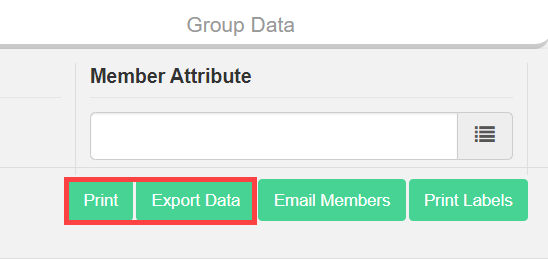
- Once the data is pulled, use Print to generate a PDF, or Export Data to create an Excel file.
- Depending on your collections agency, you may need to adjust some of the data. Once the data is ready, pass it on to your collections agency.
Account status indicator #
After accounts are sent to collections agencies, the account status reflects an additional descriptor for easy identification in Member Profile, Member Management, and Online Check-In applications.

Need help? #
Contact your ASF account manager at clientsupport@asfpaymentsolutions.com.