
What these settings do #
Cancellation and Freeze reasons are preset options you can create for when members end or pause their accounts. They appear in the cancellation and freeze workflows inside Member Management.
Note: This feature works in Member Management only. It does not work for the Legacy Members page.
Where these settings live #
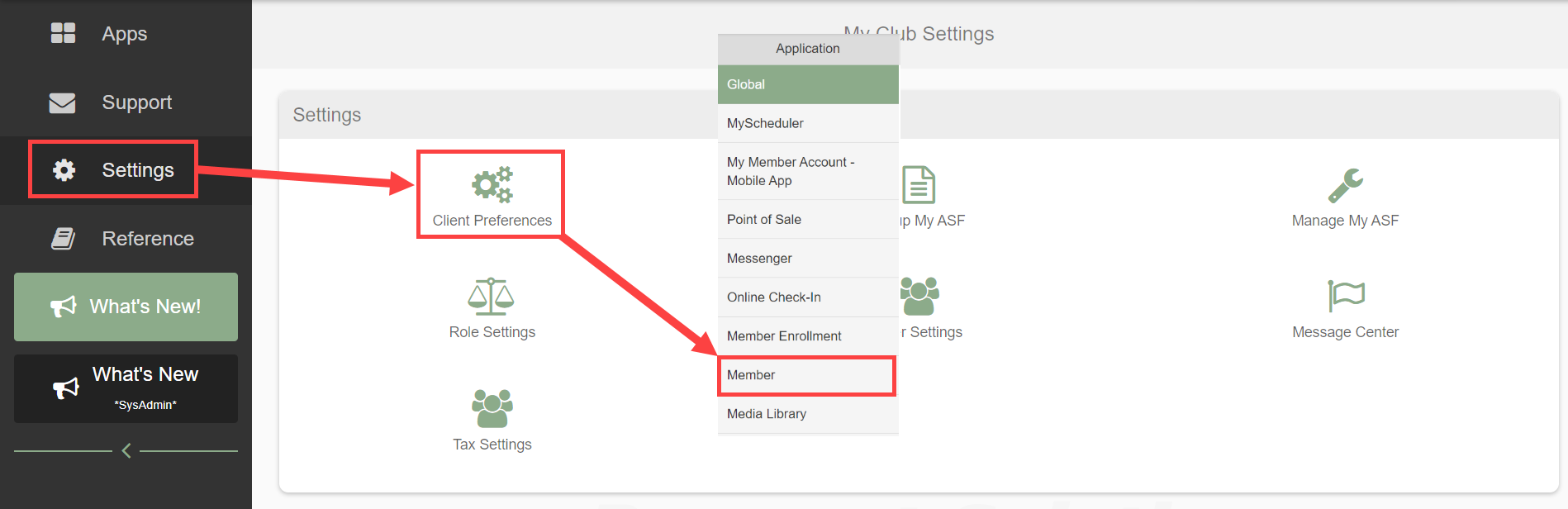
Navigate to Settings > Client Preferences > Member tab, then select either the Cancellation Reasons or Freeze Reasons tab.

Creating a new reason #
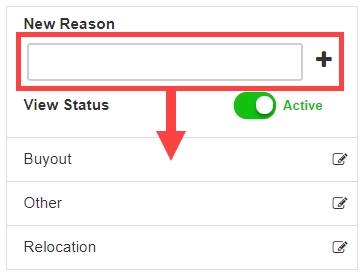
- Enter the reason name.
- Click the plus icon to add it to your list.
The new reason becomes immediately available in Member Management.
Editing an existing reason #
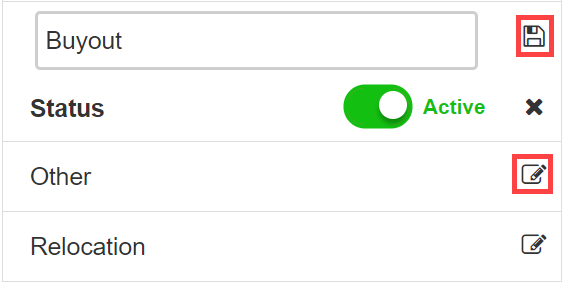
- Click the pencil icon next to the reason.
- Modify the name or inactivate it.
- Click the save icon.
Copying reasons to multiple locations #
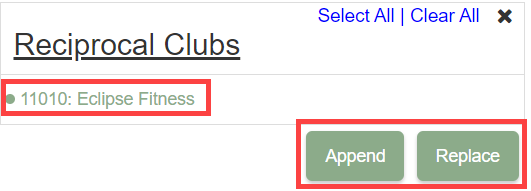
For clubs with multiple locations, the Copy Reasons button lets you transfer reasons to other clubs. Choose one of:
- Append: add the copied reasons to the destination club's existing list.
- Replace: remove the destination club's existing reasons first, then copy.
Where to go next #
- For the cancellation workflow itself, see Cancellations.
- For the freeze workflow itself, see Freeze an account.
Need help? #
Contact your ASF account manager at clientsupport@asfpaymentsolutions.com.