
What member attributes are #
Member attributes are customizable fields you create and add to member accounts. They let you track additional information about members, such as a prospect's referral source or a member's fitness goals.
Creating an attribute #
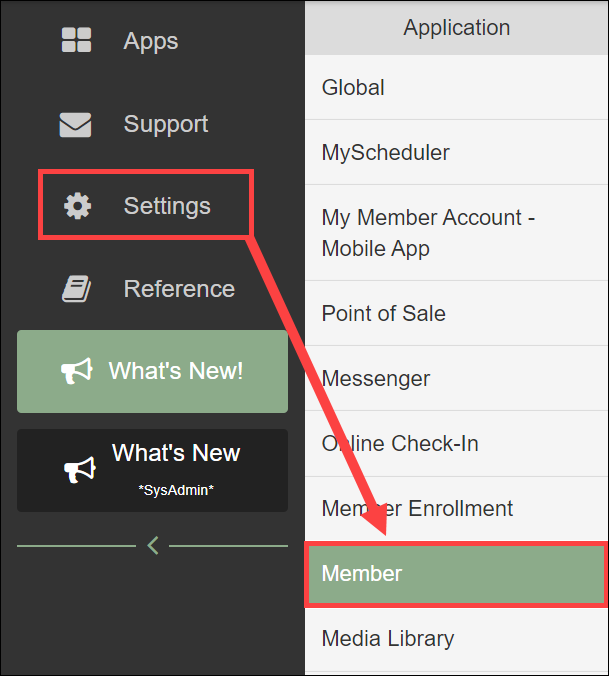
- Navigate to Settings > Client Preferences > Member tab > Attributes.
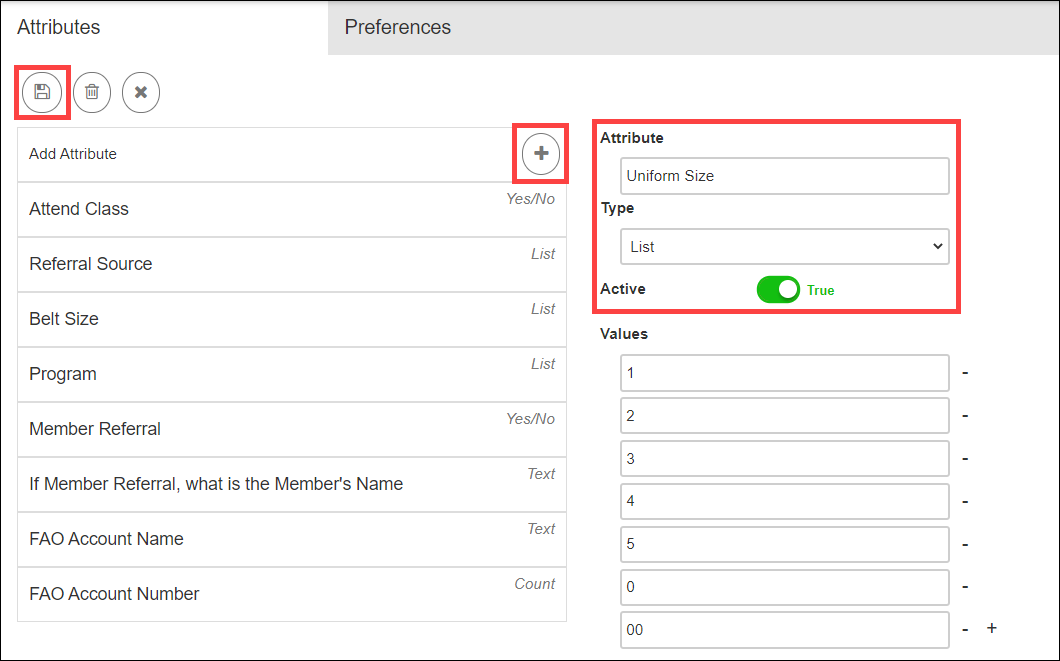
- Click the plus button to start a new attribute.
- Set the fields:
- Name: the attribute identifier.
- Type: the data format.
- Yes/No - binary value.
- Count - numerical value.
- List - selectable options.
- Text - freeform text.
- Phone - formatted phone number.
- Active toggle: set to True to enable the attribute.
- Save the attribute.
Adding an attribute to an offer #
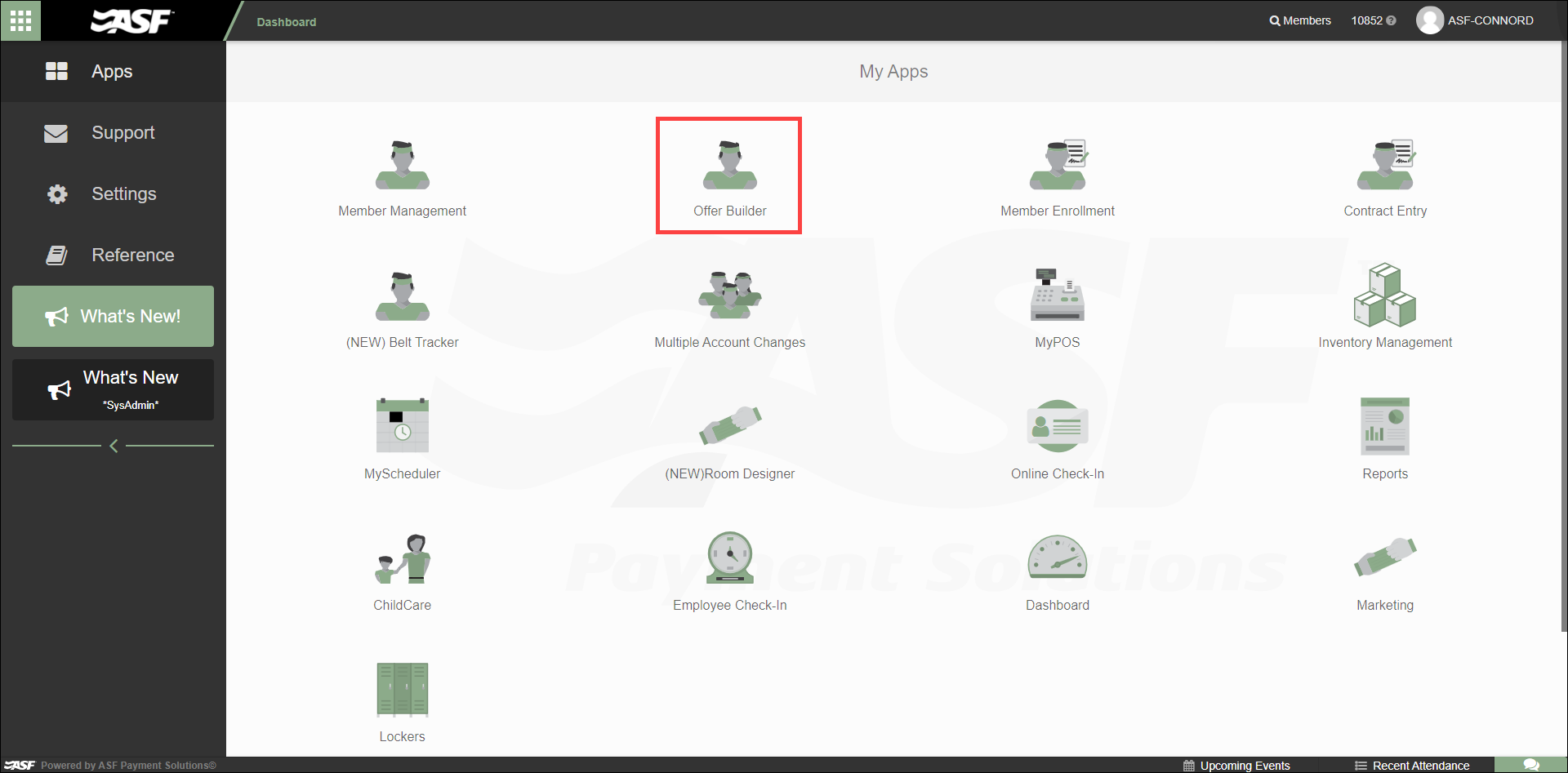
Once created, an attribute can be added to an offer in Offer Builder so it is collected during enrollment for that offer.
- Open the specific offer within Offer Builder.
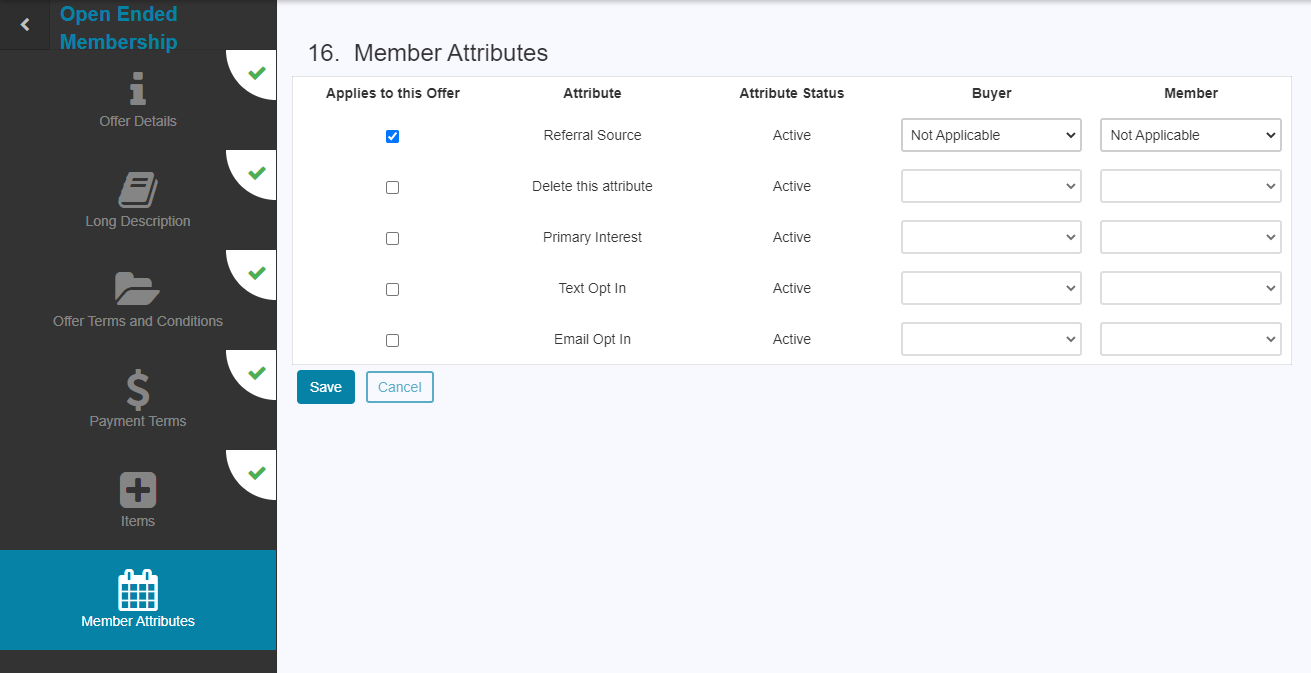
- Locate the Member Attributes section.
- Use the Applies to this Offer toggle to include each relevant attribute.
- Set applicability using the dropdown menus for Buyers and Members. Mark each as Required, Optional, or Not Applicable.
The attribute data is then collected during member or prospect signup for that particular offer.
Where to go next #
- For the full member account view where attributes are displayed, see Member profile.
- For working with Offer Builder, see Offers and Enrollment.
Need help? #
Contact your ASF account manager at clientsupport@asfpaymentsolutions.com.