
What an add-on is #
An add-on is something added to a membership that introduces an additional recurring charge on the account.
Before creating add-ons, inventory items must exist first. The system accepts items from either the Scheduler_Bucket or General_Non_Inventoried categories.
Setting up an add-on #
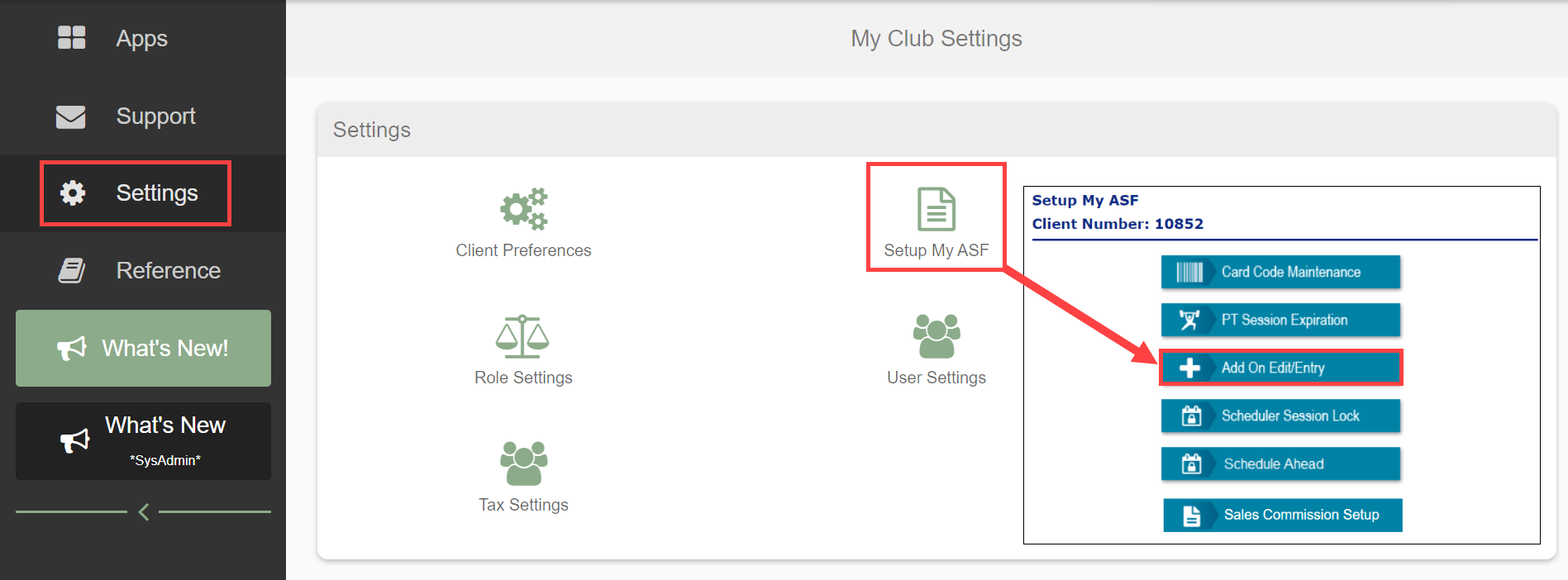
- Navigate to Settings > Setup My ASF > Add On Edit/Entry.
- Select the POS Category and POS Item.
- Set PT Sessions to Yes if sessions are added; otherwise No.
- Click Add New.

Editing add-on details #
Select Edit and fill in the following fields using Tab navigation (not mouse selection):
- # Sessions Per Payment: sessions per payment cycle. Mutually exclusive with Total Sessions.
- Total Sessions: complete session count. Mutually exclusive with # Sessions Per Payment.
- Front Load Sessions: loads all sessions immediately upon add-on activation.
- Payment Amount: per-payment cost.
- # Payments: total payment count.
- Frequency: payment interval.
- First Due Offset (In Days): days before first payment.
- Taxable: tax applicability. Typically "N".
Click Update to save.

Associating revenue to clubs #
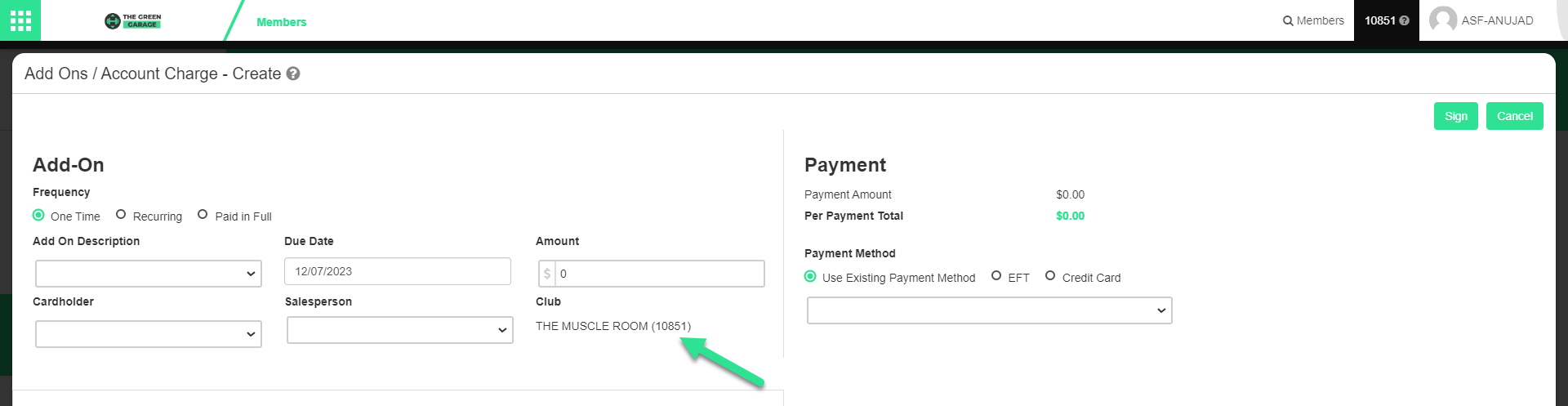
By default, add-on revenue is associated to the member's home club. An option exists to associate revenue to the signup club instead, controlled by the Reciprocal Add-On Revenue indicator. Contact your ASF account manager to activate this indicator.
Recurring Add-on Terms #
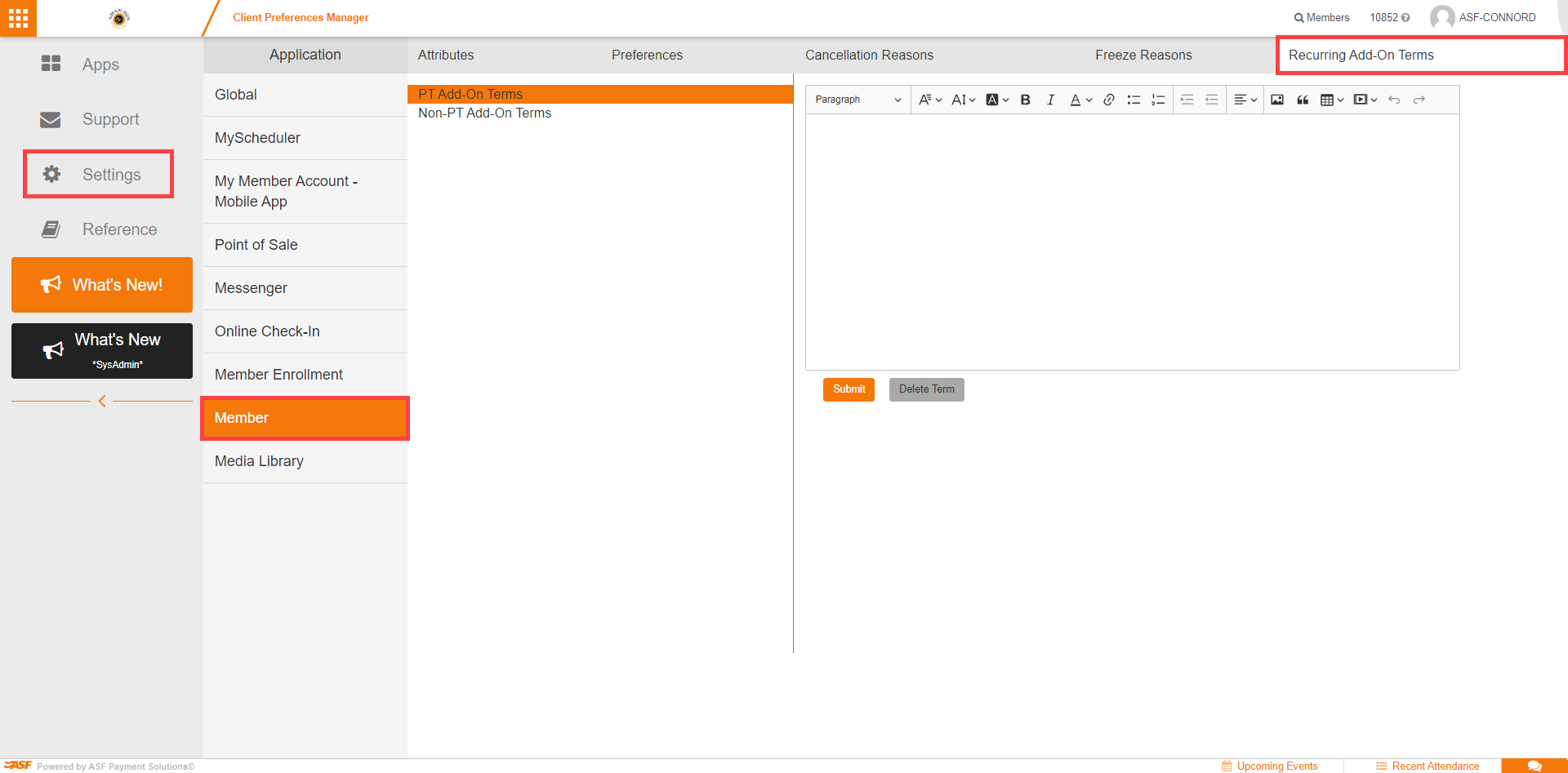
Recurring Add-on Terms establish the terms and conditions members must sign when adding a new recurring add-on to an existing account. These terms are added whenever a new recurring add-on is added to an existing member's account. They live in the Member section of Client Preferences.
Two types of terms
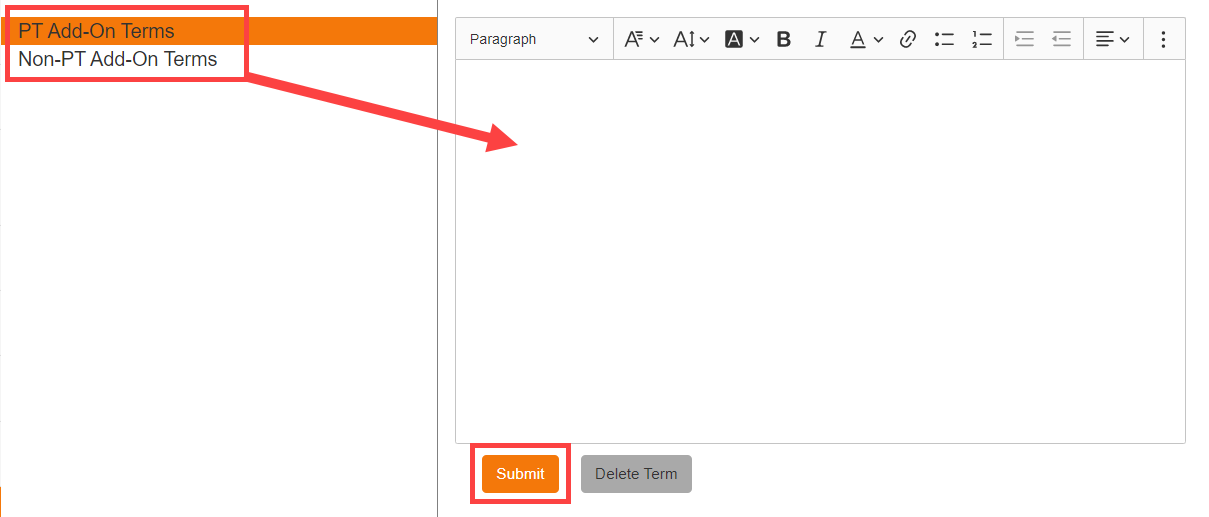
- PT Add-on Terms: for add-ons that provide sessions to member accounts upon payment.
- Non-PT Add-on Terms: for add-ons that do not add sessions.

Setting up terms
- Manually enter the terms and conditions, or import them from a Word document or PDF.
- Click Submit to save.
Use Delete Term to remove previously added terms and conditions.
Where to go next #
- For how add-ons show up on a member account, see Add-ons and charges.
Need help? #
Contact your ASF account manager at clientsupport@asfpaymentsolutions.com.