
About the Public Calendar #
The Public Calendar is an extension of My Scheduler that lets members view your schedule and register for events from outside the club, using their own browser or your club website. It carries over configurations from the legacy Online Scheduler, so existing settings are preserved during the transition.
Note: The Online Scheduler is no longer the supported external booking tool. The Public Calendar is its successor and is the recommended solution for all external member self-registration.
Activating the Public Calendar #
The Public Calendar must be activated by ASF support before you can use it. Contact ASF at (800) 527-6898 to have the feature enabled for your account.
Finding your Public Calendar links #
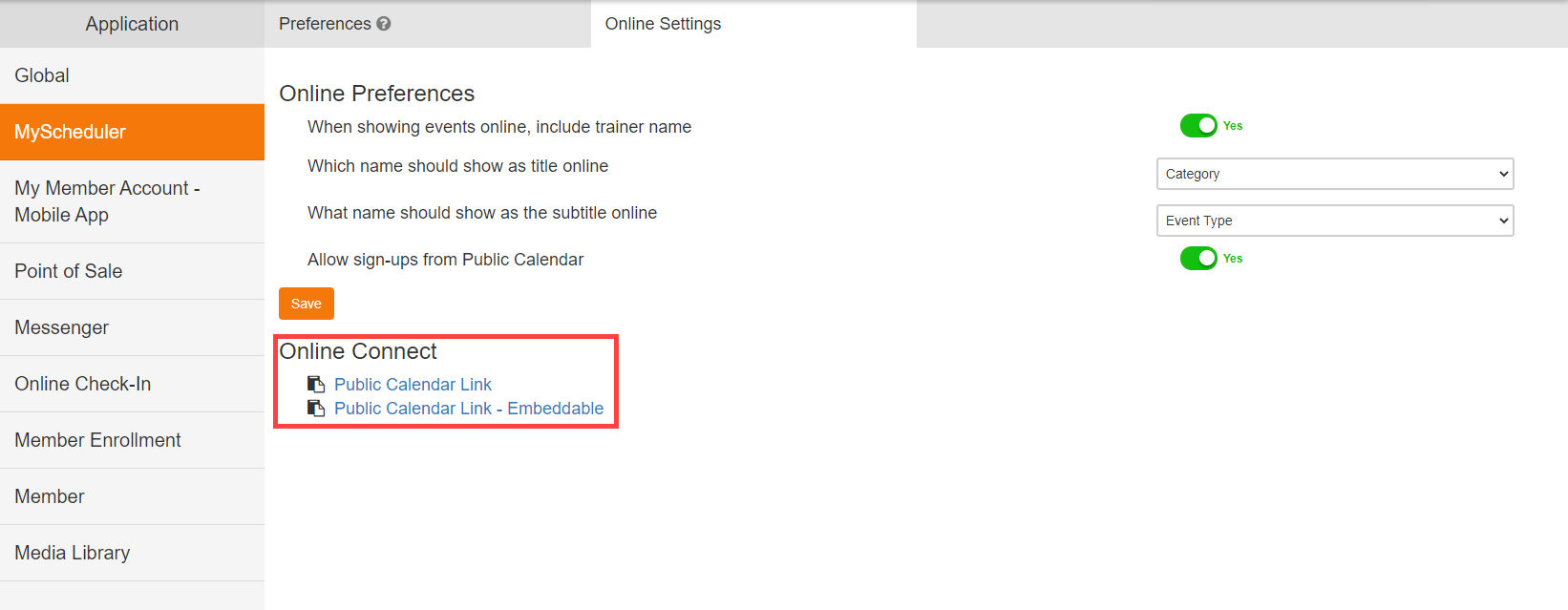
Once activated, access the links through My Scheduler settings under Client Preferences, in the Online Connect section. Two link types are available:
- Public Calendar Link: Share this directly with members via email or on social media. Members open it in their browser to view and register for events.
- Public Calendar Link (Embeddable): Paste this into your club website so members can sign up without leaving the site.
What members see #
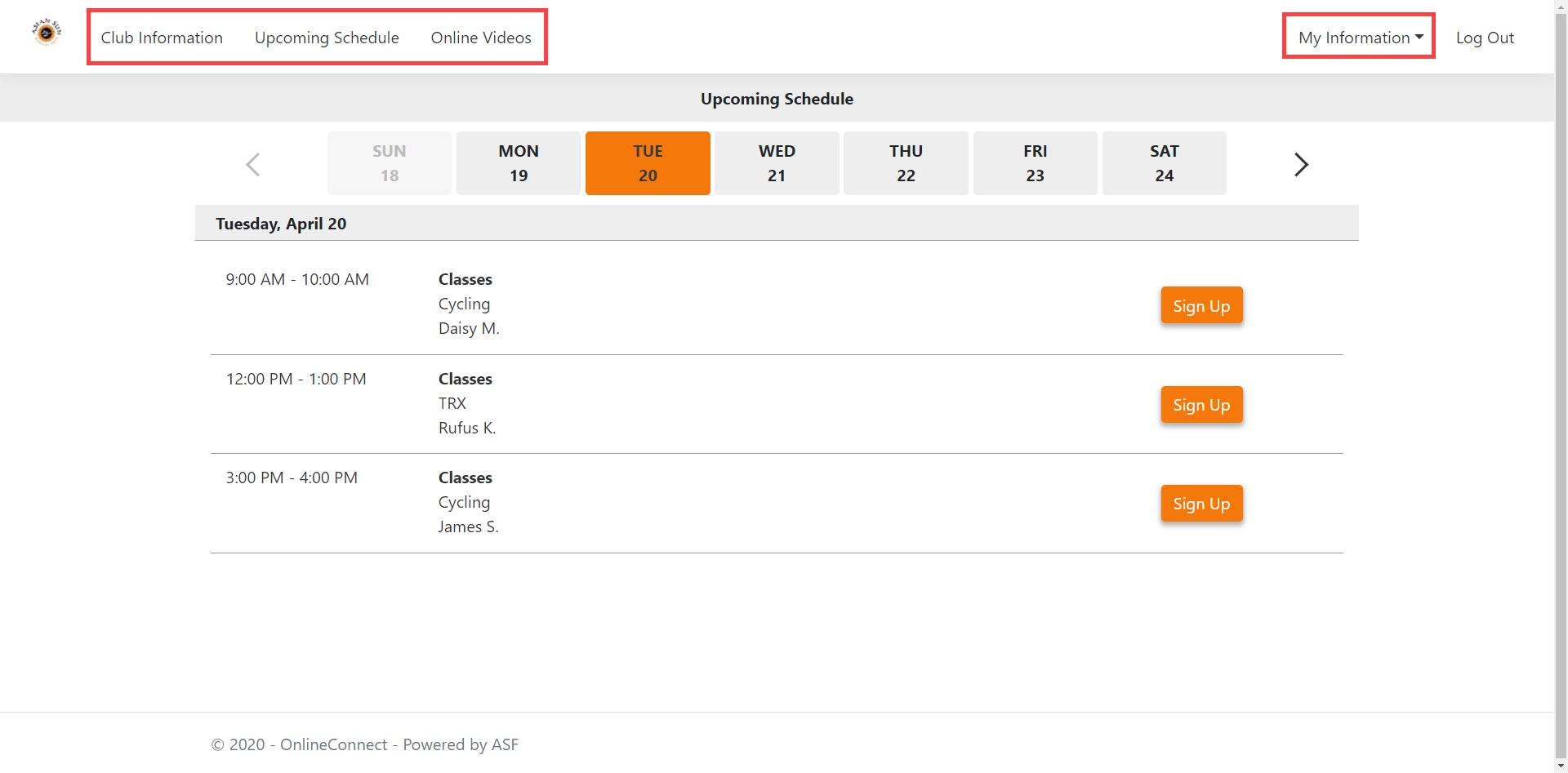
After a member logs in through the Public Calendar, they can access:
- Club information: contact details and location.
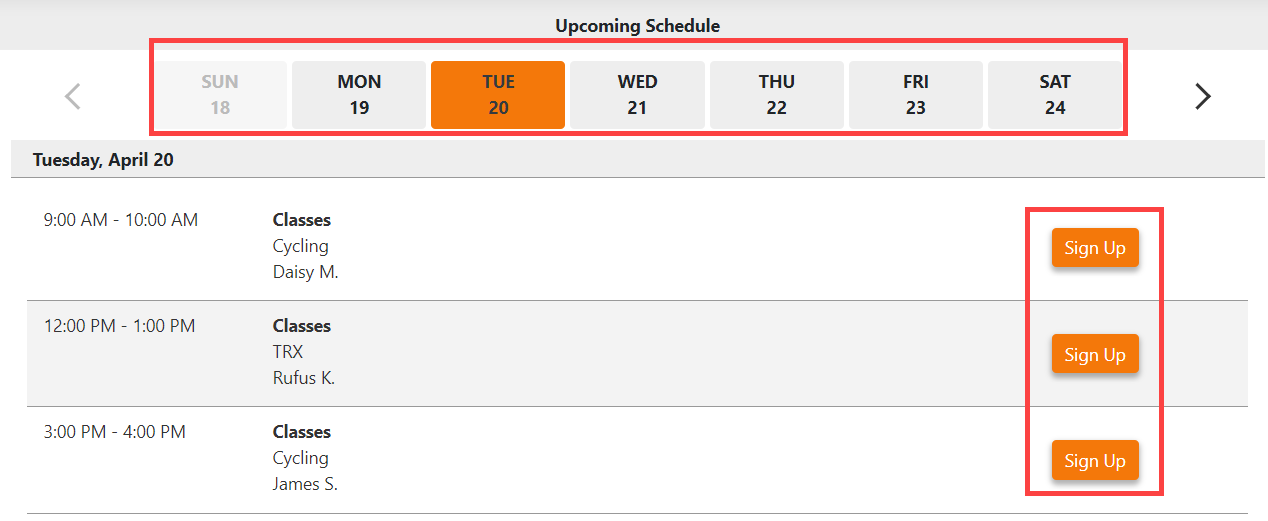
- Upcoming schedule: events available for registration.
- Online videos: content from the Media Library.
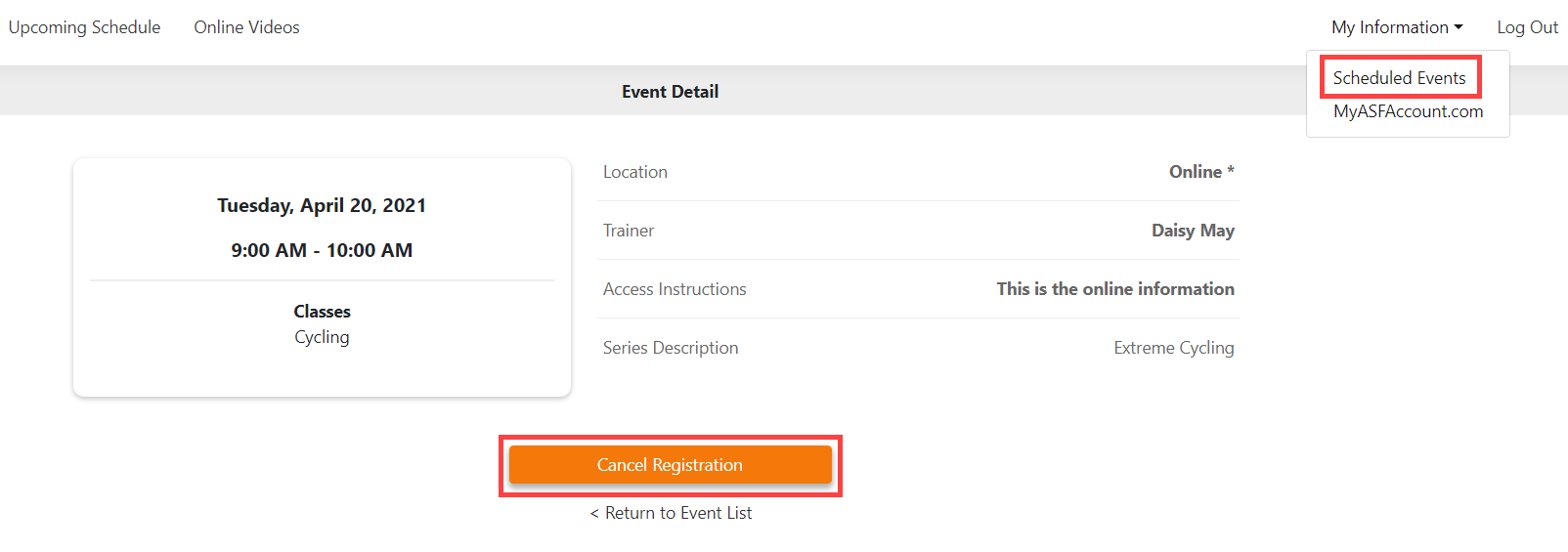
- Personal information: their registered events and, where permitted, the ability to cancel.
Where to go next #
- To add videos that appear in the Public Calendar, see Media library.
- To highlight a specific event for members, see Featured events.
Need help? #
Contact your ASF account manager at clientsupport@asfpaymentsolutions.com.