
What holidays and blackouts do #
Holidays and blackouts are date-specific exceptions to your regular Hours of Operation. Use them to record any day when your club will be closed or operating on a different schedule, such as a public holiday, planned maintenance day, or a special event that blocks normal scheduling.
Accessing holidays and blackouts #
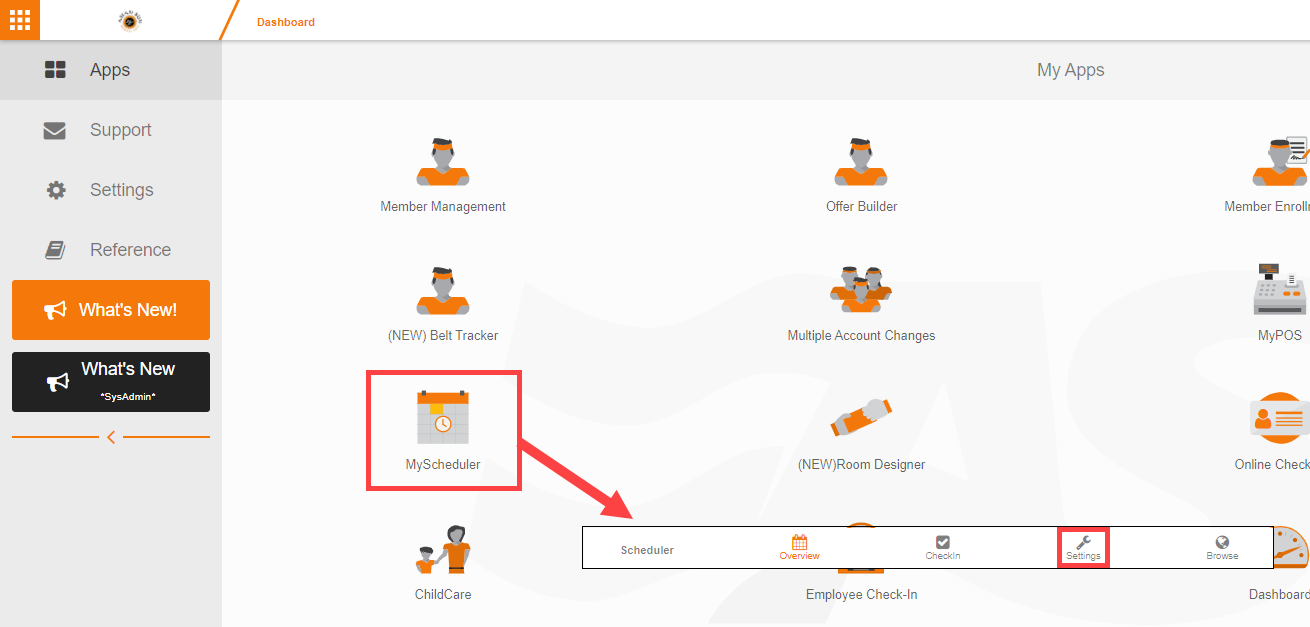
- Open My Scheduler from the My Apps page.
- Select Admin Options at the top of the page.
- Choose Holidays and Blackouts.
Adding an exception #
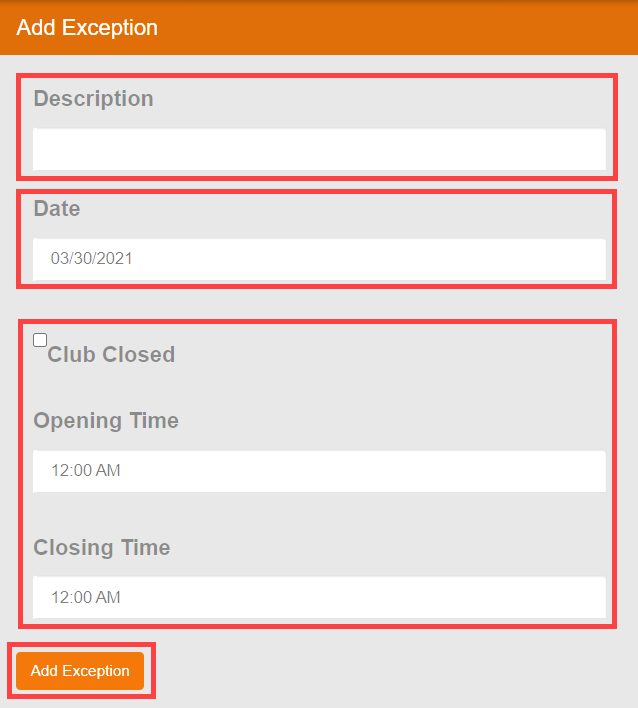
- Enter a Description for the exception (for example, "Thanksgiving," "Club Maintenance," or "Private Event").
- Select the Date of the exception.
- Choose one of the following:
- Club Closed: marks the club as fully closed on that date, blocking all scheduling.
- Custom hours: enter specific opening and closing times that override the regular Hours of Operation for that day only.
- Click Add Exception to save.
Editing or removing an exception #
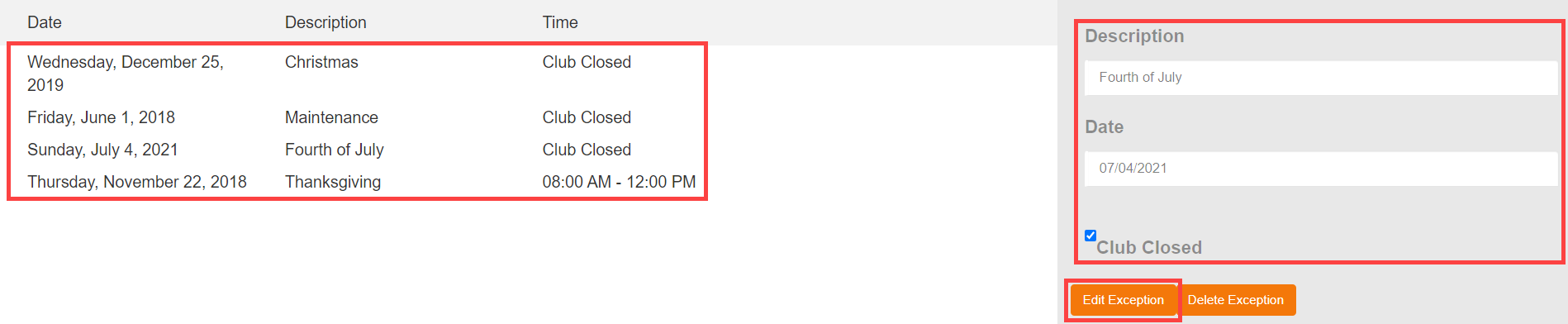
Existing exceptions appear in a list on the left side of the screen. To modify an entry:
- Select the exception from the list.
- Make your changes in the form fields.
- Click Edit Exception to save the updated values.
To remove an exception entirely, select it from the list and click Delete.
Where to go next #
- To set your regular weekly schedule, see Hours of operation.
Need help? #
Contact your ASF account manager at clientsupport@asfpaymentsolutions.com.