
Overview #
Online Join is a Member Enrollment feature that allows prospective members to register for a membership or prospect offer without visiting the facility. Member Enrollment provides four different enrollment links, each suited to a specific use case.
Which page should you use? #
Online Join Lead (recommended for most clubs)
Lead Capture saves the information of new members who do not complete sign-up and automatically adds them as a prospect. This is the recommended link for clubs integrated with the system, and also for non-integrated clubs that want to capture incomplete sign-ups.
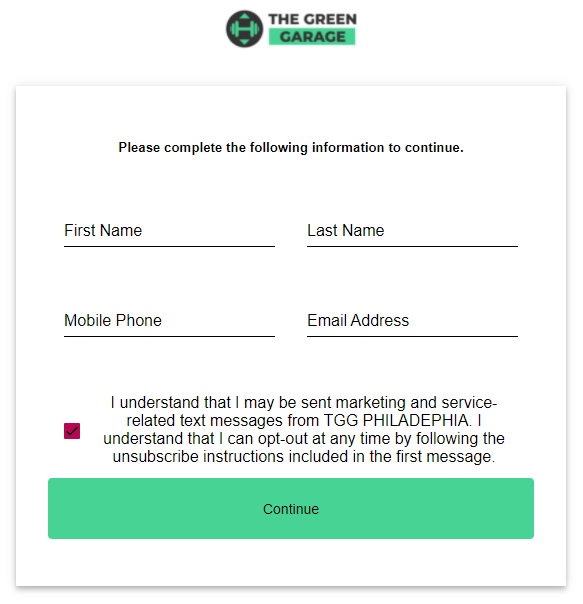
See Online join lead capture for full details.
Online Join All Offers (Member)
Displays all active membership offers that have been enabled for Online Join. Best for non-integrated clubs that want external member registration without lead tracking. Prospective members select an offer group, then choose a specific offer to proceed with sign-up.
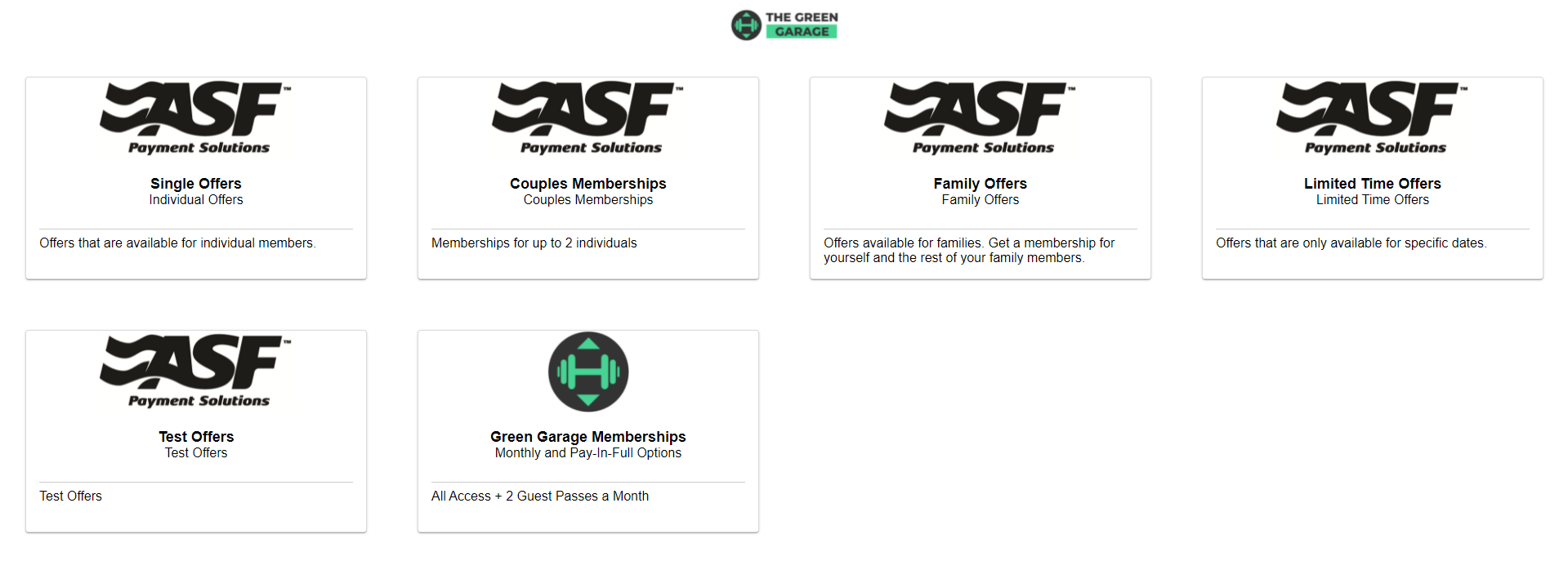
Online Join All Offers (Prospect)
Displays all active prospect offers. Best for clubs offering trial memberships that do not require full lead capture. Prospect offers appear automatically on this page once activated.

Prospects completing sign-up through this page select their desired offer, provide personal information, pay any upfront costs, and optionally add a payment method for future transactions.
Online Member Renewal
Links existing members to a page where they can renew their own membership. Members must have a term membership with preset renewal settings in order for this page to display their renewal options. Works independently of system integration status.
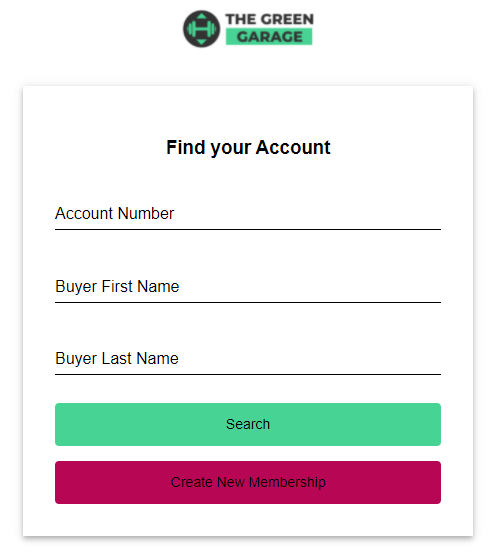
See Online member renewal for full details.
Making offers available for Online Join #
Member offers must be individually enabled for Online Join. Within the payment term setup of an offer in Offer Builder, set the Available in Online Join toggle to Yes.
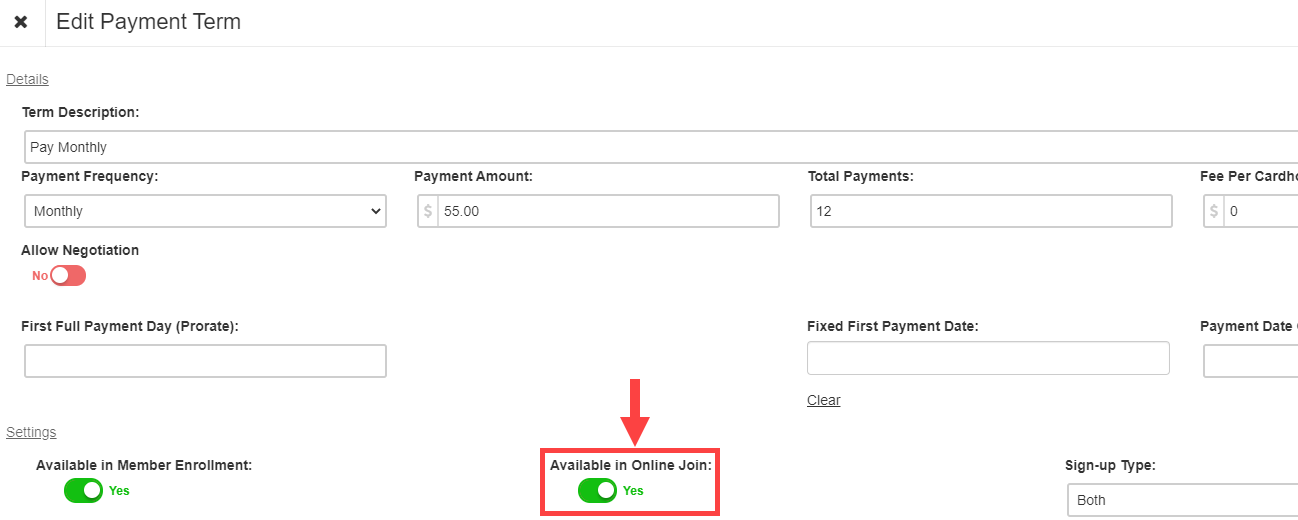
Prospect offers appear on the Online Join All Offers (Prospect) page automatically when active. No additional configuration is needed.
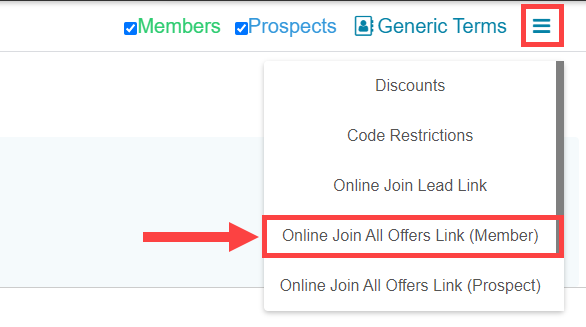
Accessing your Online Join links #
All Online Join links are accessed through the Offer Builder menu from the My Apps page. You can copy any link and share it directly, embed it on your club website, or distribute it through social media.
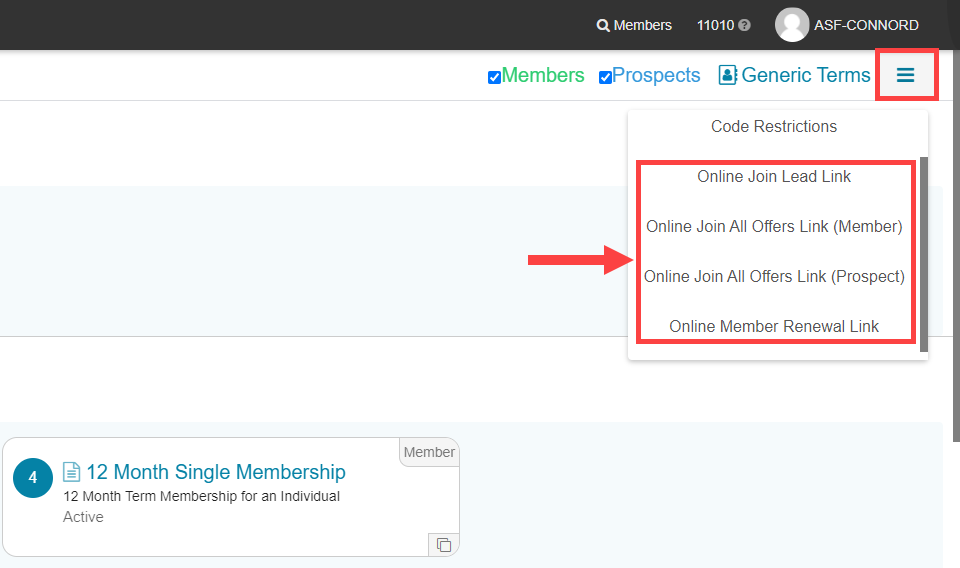
Offer group links
Each offer group has its own Online Join link. Access it by editing the offer group in Offer Builder. Members who use the group link see only the offers within that group.
Individual offer links
Each individual offer has its own dedicated link, accessible from the offer setup page. Use individual offer links when promoting a single specific offer through a marketing channel.
Salesperson tracking link
You can customize the Online Join Lead URL to assign a specific salesperson during enrollment. This enables commission tracking for that sign-up.
Marketing source tracking
Add a marketing source parameter to the Online Join Lead URL to track which channel drove the sign-up. Append ?marketingSource=YourValue to the URL. No spaces are allowed in the value.
Example: https://www.mymemberaccount.com/member-enrollment/CLUB_ID/lead?marketingSource=GoogleAd
Need help? #
Contact your ASF account manager at clientsupport@asfpaymentsolutions.com.