
What offer discounts do #
Offer discounts let members apply promotional codes during online or in-club sign-up to reduce their membership cost. Typical uses include seasonal promotions such as a New Year's Special, or group discounts for military personnel, fire department employees, or other designated groups.
Discount codes are created at the Offer Builder level and then associated to individual offer payment terms.
Creating discount codes #
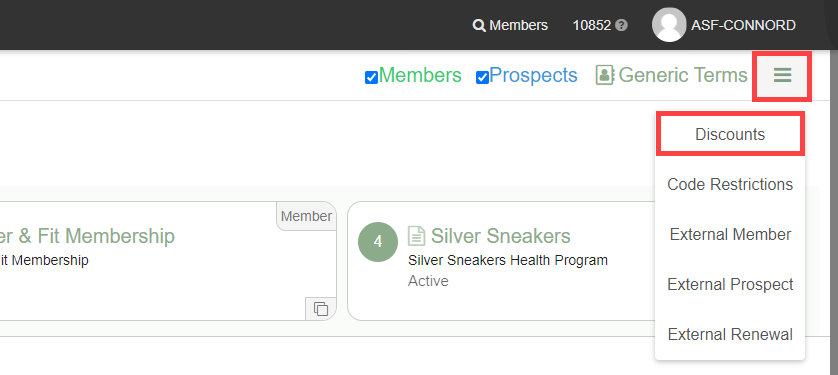
From the Offer Builder main screen, select Menu, then Discounts. The Existing Restrictions area displays any codes already created.
To create a new code:
- Enter a code (maximum 15 characters) in the code field.
- Enter a descriptive name for the discount.
- Click Add to save the code.
Existing codes can be selected and modified at any time from the same screen.
Associating discounts to payment terms #
Once a code exists, you associate it with one or more payment terms inside a specific offer. Navigate to the offer in Offer Builder, open a payment term, and select Manage Discounts. Then choose Associate Another Discount to link a code.
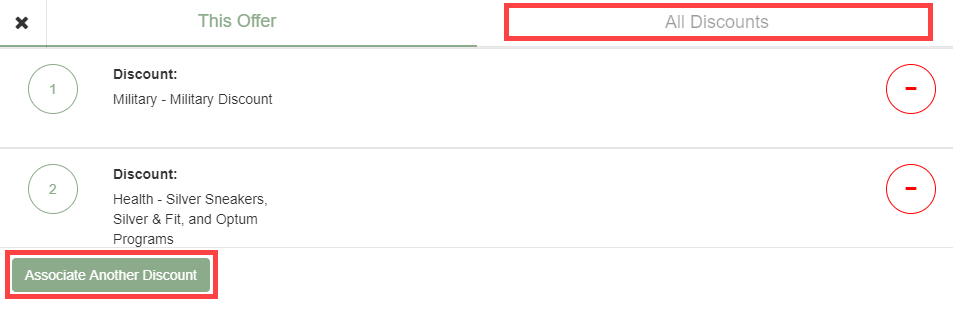
For each associated discount, configure:
- Start Date / End Date: Optional date range limiting when the discount code is valid. Leave blank for no expiration.
- Discount Type:
- Upfront POS Flat Fee: Removes a flat dollar amount from POS items only at sign-up.
- All Percentage: Applies a percentage reduction to all membership costs, including dues and POS items.
- Flat Off Each Dues: Applies a fixed dollar reduction to all recurring dues charges.
- Amount: The dollar or percentage value of the discount.
Save your changes after entering the discount type and amount for each payment term. Repeat for any additional payment terms or offers that should accept the same code.
Applying discounts at enrollment #
During in-club enrollment, staff can enter a discount code in the Summary section. Online, members enter the code on the payment selection screen. See Sign-up flows for enrollment details.
For staff-applied manual discounts that do not require a code, see Offer negotiation.
Need help? #
Contact your ASF account manager at clientsupport@asfpaymentsolutions.com.