
What code restrictions do #
Code restrictions allow you to limit the hours certain members can access the facility based on their membership type. For example, you can create an off-peak membership that only allows entry during specific hours or on specific days of the week. Restrictions are set up in Offer Builder Settings and then linked to card codes.
Adding new restrictions #
In Offer Builder, navigate to Settings, then Code Restrictions. The Existing Restrictions area displays any previously created restrictions.
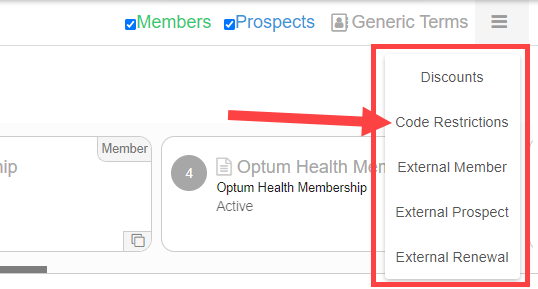
To add a new restriction:
- Click Add Restriction.
- Enter a name for the restriction.
- Set the start time and end time for the allowed access window.
- Select the days of the week during which the restriction applies.
- Click Save.
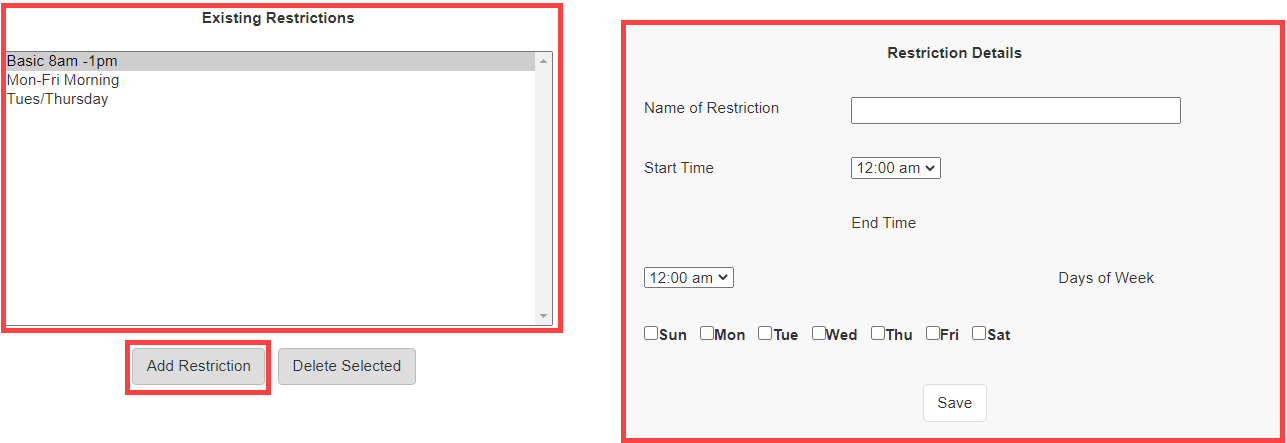
To modify an existing restriction, select it from the Existing Restrictions list, update the fields, and save.

Associating restrictions to memberships #
Once a restriction exists, you link it to a card code so that all members on that card code are subject to the restriction.
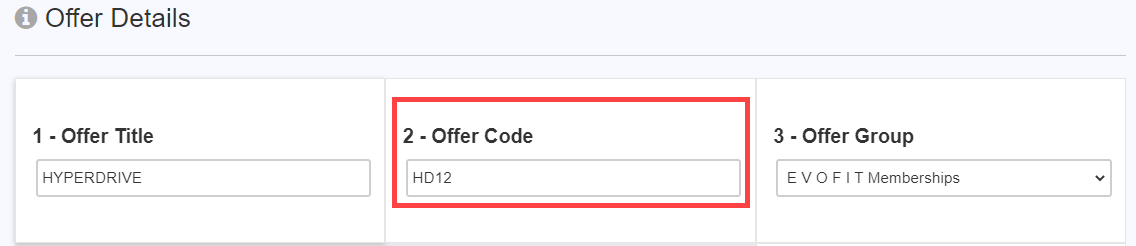
- Select a membership from the Card Code dropdown. The associated offer codes for that card code are shown.
- In the Available Restrictions list, select the restriction you want to apply.
- Click Add to associate it.
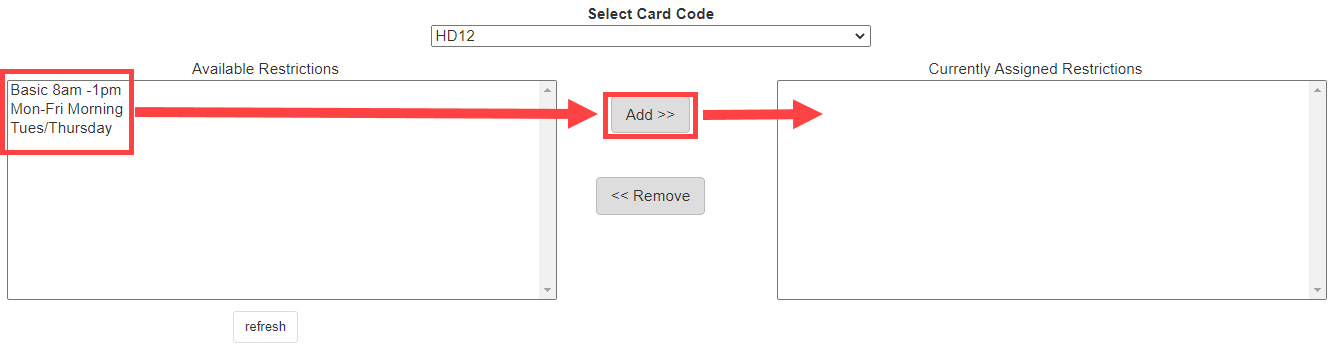
The restriction is now active for all members assigned to that card code. Members attempting to check in outside their allowed hours will trigger an alert at the front desk.
Need help? #
Contact your ASF account manager at clientsupport@asfpaymentsolutions.com.