
What Member Management does #
Member Management is where you handle member account modifications. Changes are made in real time: the member can verify a change instantly by refreshing their account.
How to open a member account #
The recommended path uses the Quick Member Search:
- Click Search Members in the top right of the My Club Business home screen.
- Enter the member's details (ASF account number, first name, last name, or any combination) and click Search or press Enter.
- Click the member name to open the Member Profile, then select Account.

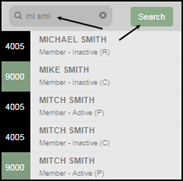
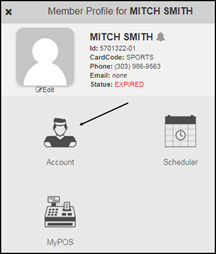
Note: For clubs sharing data with reciprocal locations, searches pull from all affiliated clubs.
You can also open accounts through the Member Management app on the My Apps page:
- Select Member Management from the My Apps page.
- Choose either the Membership (Buyer) or Cardholder tab.
- Enter search criteria: ASF Account Number, Alternate Account Number, contract information, or cardholder information.
- Click Find.
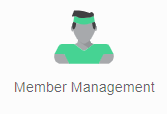
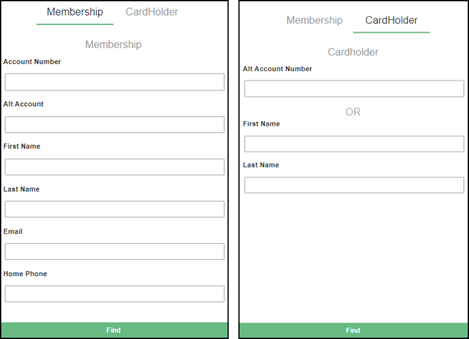
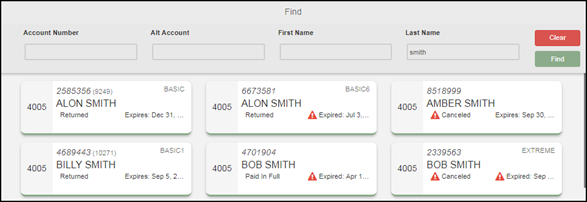
You can re-search with new information or click Clear to reset the form.
Layout of the account screen #
Quick links on the left sidebar let you jump between the major sections of the account:
- Account Info
- Billing
- Transactions
- Attendance
- Contract Entry
- Utilities
- Notes
The header remains visible as you scroll and displays: ASF Account ID, Membership Status, Alternate Account #, and Card Code.

Where to go next #
- For the layout of the account screen itself, see Navigating member accounts.
- For the Member Profile panel and quick actions, see Member profile.
- For lifecycle workflows (renew, replace, freeze, cancel), start at Accounts overview.
Need help? #
Contact your ASF account manager at clientsupport@asfpaymentsolutions.com.