
If you are having trouble signing in to MyASFAccount, find your situation below and follow the steps to resolve it.
You cannot log in to your account #
Make sure you are entering the correct credentials. MyASFAccount requires:
- Your email address or account number
- The last four digits of the phone number you provided when you signed up for your membership
If you have more than one phone number on file (mobile, work, or home), check your membership agreement to see which one was used. Try each number if you are unsure. When creating a new password, follow the on-screen password requirements.
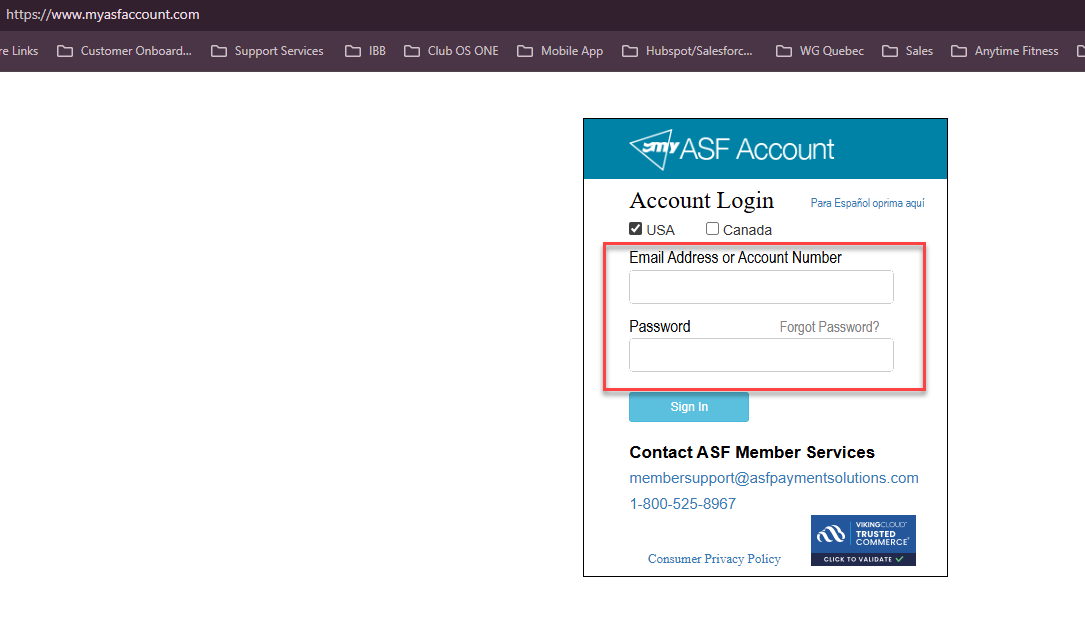
You are logging in for the first time #
Your initial password is the last four digits of your phone number on file. After you sign in with this temporary password, you will be asked to create a permanent password. You only need to do this once.
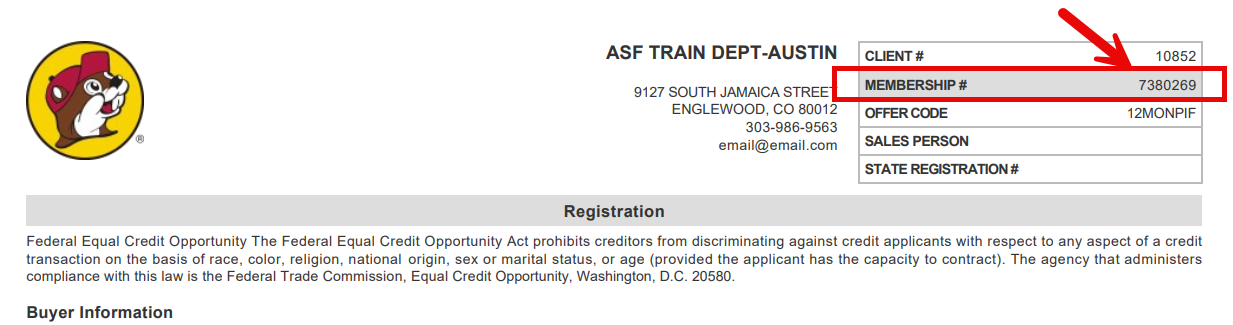
You forgot your password #
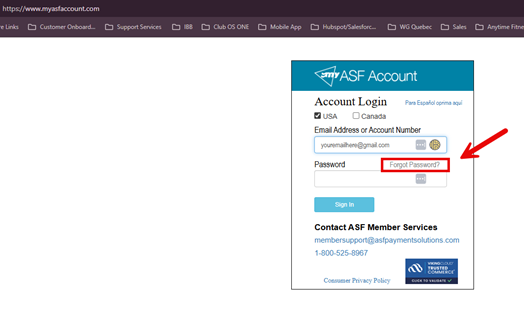
To reset your password you will need your email address and your account number.
- Go to www.MyASFAccount.com.
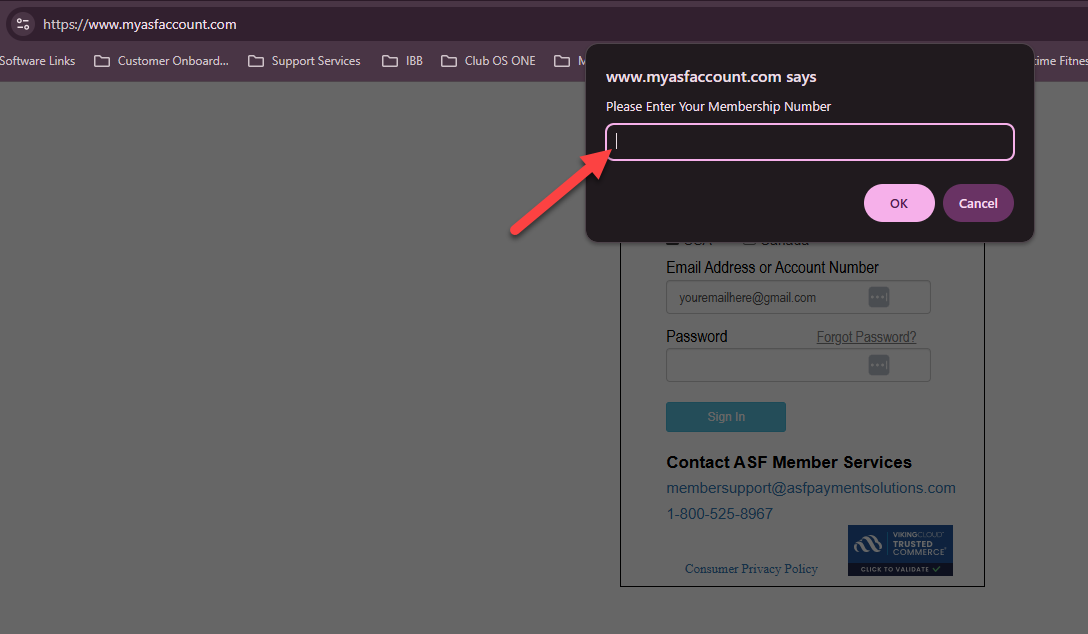
- Enter your email address and select Forgot Password.
- Enter your account number when prompted.
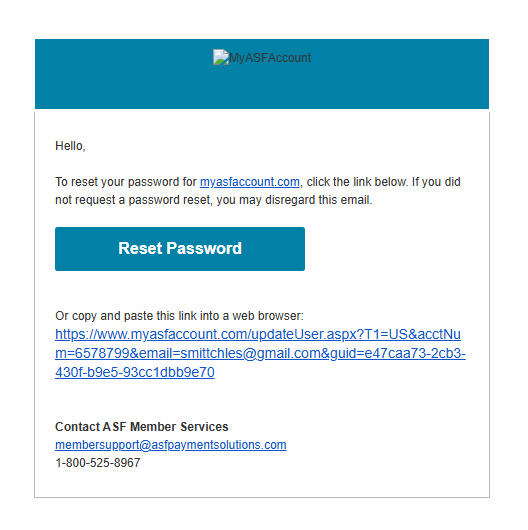
- Check your inbox for a password reset email, including your spam or junk folder.
- Follow the link in the email to create a new password and sign in.
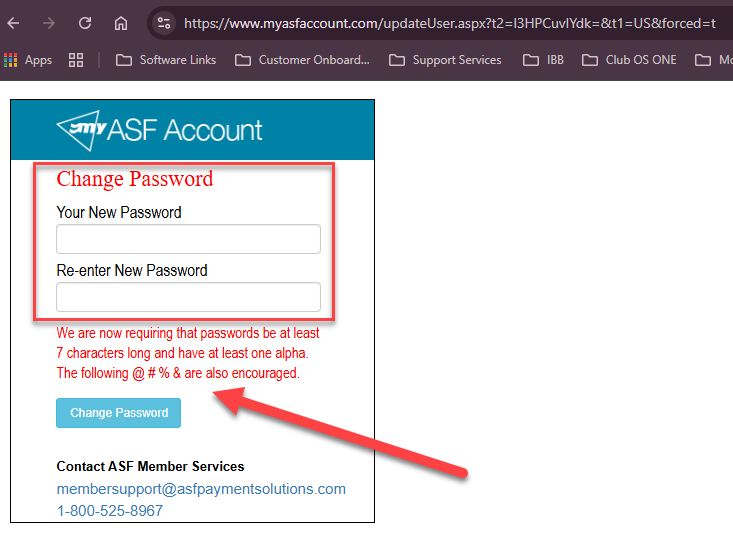
You do not know your account number #
Your account number appears in two places:
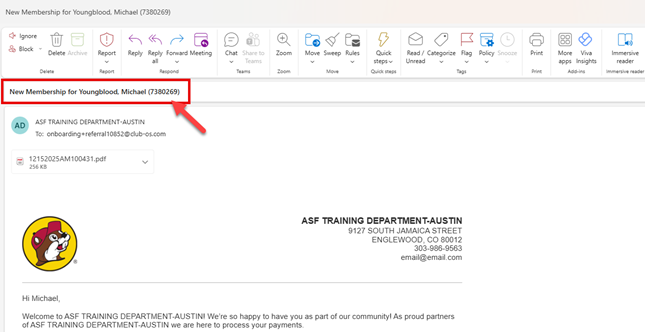
- Your welcome letter (look in the subject line of the original welcome email from ASF)
- Any statement you have received from ASF
If you cannot locate your account number, contact ASF Member Services through the Member Support page.
You did not receive a welcome email #
First, check your spam or junk mail folder. If the email is not there:
- Contact your gym or club and ask them to resend the welcome email.
- Alternatively, submit a request through ASF Member Support.
You are still unable to log in #
Contact your gym or club so they can verify your account details. If you need additional help, reach ASF Member Support through the Member Support page.
Security reminder #
Always access your account through www.MyASFAccount.com. ASF support staff will never ask for your password.
Need help? #
Contact your gym or fitness club directly for account questions. For technical issues with MyASFAccount, email clientsupport@asfpaymentsolutions.com.