
The MyASFAccount member portal at www.MyASFAccount.com lets you manage your membership from any web browser. You can view and edit your personal contact information, update your payment method, make a one-time payment, and review your payment and attendance history.
Sign in for the first time #
After you sign up for a membership, you will receive a welcome email containing a link to MyASFAccount. To access your account you will need:
- Your account number or the email address associated with your membership
- The primary phone number on file with your gym
For your first login, enter the last four digits of your phone number as your initial password. Once you sign in successfully, you will be prompted to create a new password. If you have more than one phone number on file (for example, a mobile, work, or home number), check your membership agreement to confirm which one was used at signup.
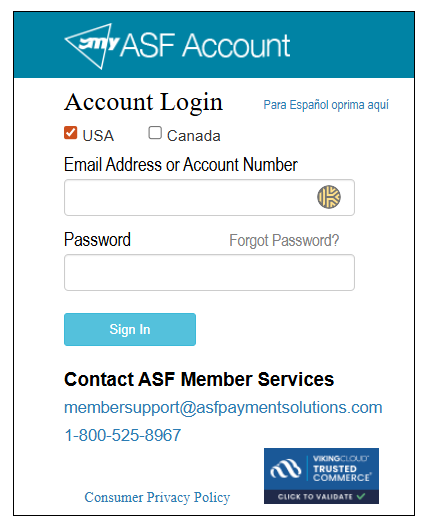
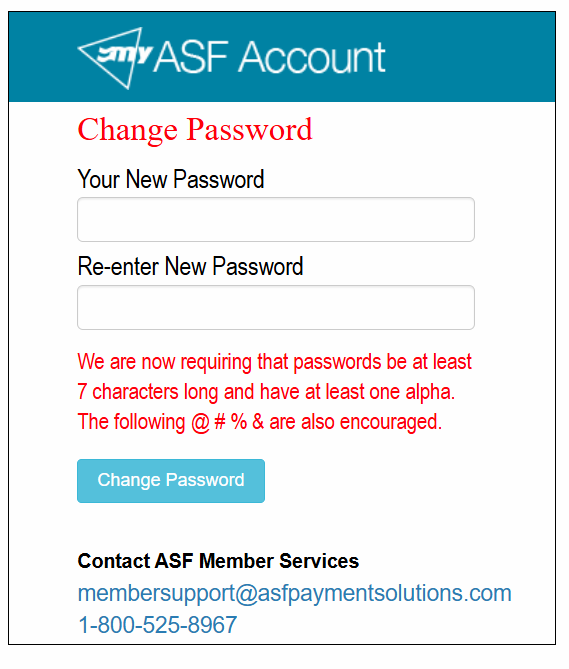
After your first login, you can reset your password at any time using the Forgot Password link on the sign-in screen.
Make a payment #
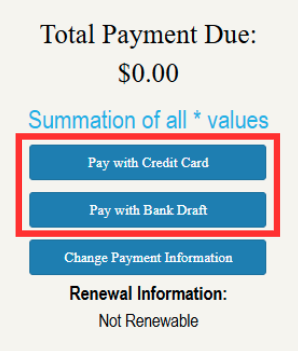
If there is an outstanding balance on your account, a Total Payments Due section appears on your landing page as soon as you sign in. You can pay with a credit card or a bank draft (EFT).
- Sign in to www.MyASFAccount.com.
- Review the Total Payments Due amount on your landing page.
- Select your preferred payment method (credit card or bank draft).
- Enter your payment details and confirm the transaction.
Update your payment information #
To change the credit card or bank account used for your recurring membership dues:
- Sign in and select Change Payment Information on your landing page.
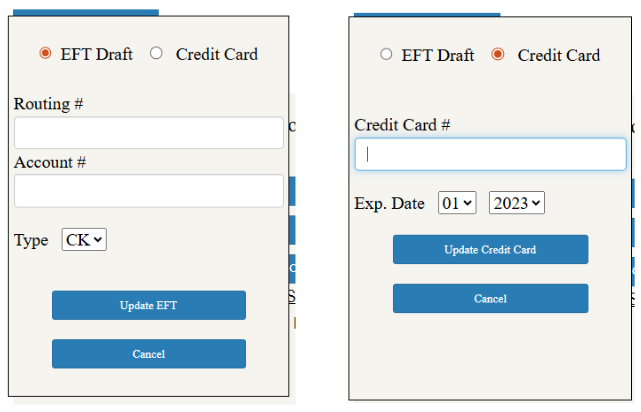
- Choose whether you want to update your EFT (bank draft) information or your credit card information.
- Enter the new details and save your changes.
Edit your personal information #
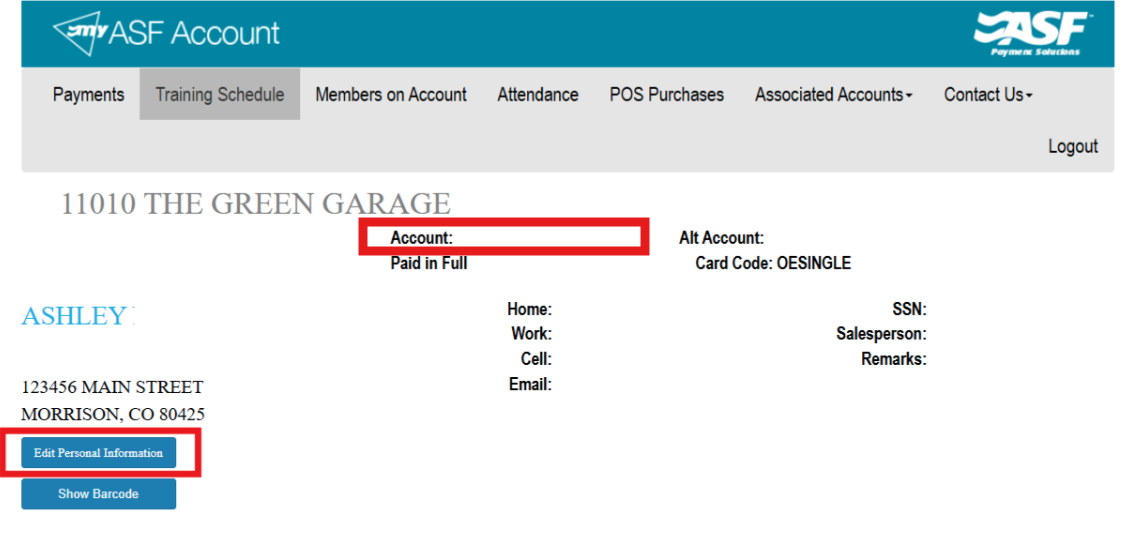
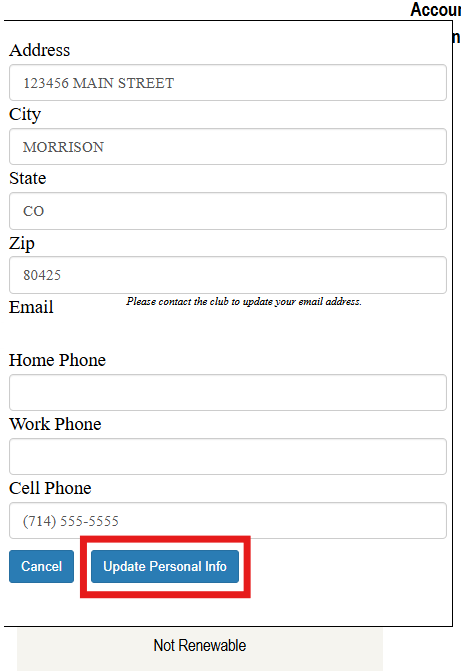
The Personal Information section shows the details for the primary account holder. You can view your account number and update your mailing address, email address, and phone number.
- Sign in and locate the Personal Information section.
- Select Edit Personal Information.
- Update the fields you need to change.
- Select Update Personal Information to save.
Always use trusted, secure websites when entering payment or personal information online. MyASFAccount is the official portal for your membership account.
Need help? #
Contact your gym or fitness club directly for account questions. For technical issues with MyASFAccount, email clientsupport@asfpaymentsolutions.com.