
Clubs on invoice-based billing have an updated freeze account process that allows independent management of billing and access. This is available via a new Pause Billing / Freeze Access section that replaces the Member Account > Billing > Freeze Account section.
Pause billing #
The following information is collected when pausing dues billing:
- Reason: A reason must be specified. The reason is either freeform entry or a dropdown selection (if freeze reasons have been defined in Settings > Client Preferences > Member > Freeze Reasons).
- First Invoice Paused: A billing pause is always effective as of the next invoice.
- Next Invoice Date: The next invoice that should be billed, selected from a list of upcoming invoices.
Invoice generation is skipped (no invoice is created) for the First Invoice Paused and all following invoices up until the specified Next Invoice Date. Invoices in that period that already exist (were previously generated) are removed.
Add-on billing can also be paused when dues billing is paused. This pauses add-on billing for all add-ons.
Pause and edit restrictions #
- Billing pauses can be edited at any time, except in cases where the billing pause started prior to the club's transition to invoice-based billing. These are not available for editing; edits to those must be completed by Client Support.
- Billing pauses cannot be applied to accounts with a past-due payment owed. Accounts must be current on payments.
- Billing pauses cannot be applied to be effective after the upcoming invoice. This is because the account must be current, and applying a pause after the upcoming invoice creates the possibility that the account is past due when the pause starts. Payment may be accepted for the upcoming invoice, and then a pause applied.
Automatic term extensions #
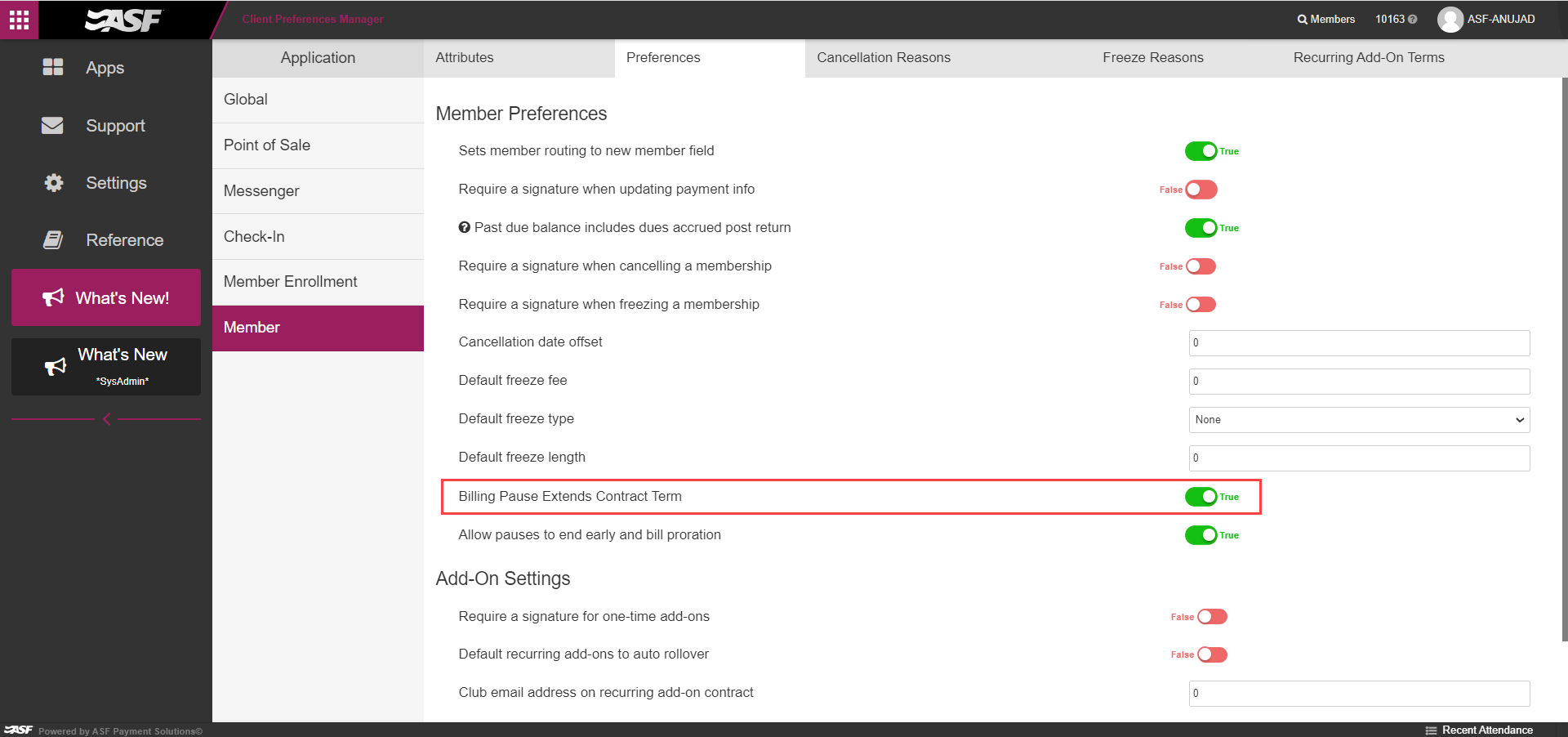
A preference is available in Settings > Client Preferences > Member > Preferences > Member Preferences > Billing Pause Extends Contract Term. This defaults to True.
When set to True, when billing pauses are applied, the membership's term is automatically extended by the length of the pause. If the membership has a renewal, rollover, or preset option, it is automatically extended by the length of the pause. Total remaining contract balance and total number of payments are not changed.
If the membership is a term membership and billing pauses are configured to prorate (see section below), when a billing pause is ended mid billing cycle, the membership term is updated to reflect the proration, and the membership expiration date is updated accordingly.
Examples:
- A member has a monthly membership for 12 months, 1/1/23 through 12/31/23. A 3-payment billing pause is applied. The membership term is extended by 3 months, with an updated expiration date of 3/31/24. Twelve payments are billed across the extended term.
- If billing pauses are configured to prorate: A member has a monthly membership for 1/1/23 through 12/31/23. A billing pause is applied for 3 payments beginning on 3/1/23, and the next invoice date is 6/1/23. The membership term is extended by 3 months, for a membership expiration date of 3/31/24. The billing pause is removed on 3/15. A prorated invoice is generated for 3/15 to 3/31 and normal billing resumes on 4/1. The term is updated to reflect the prorated pause from 3/1 to 4/1, for an expiration date of 1/1/24.
Automatic proration #
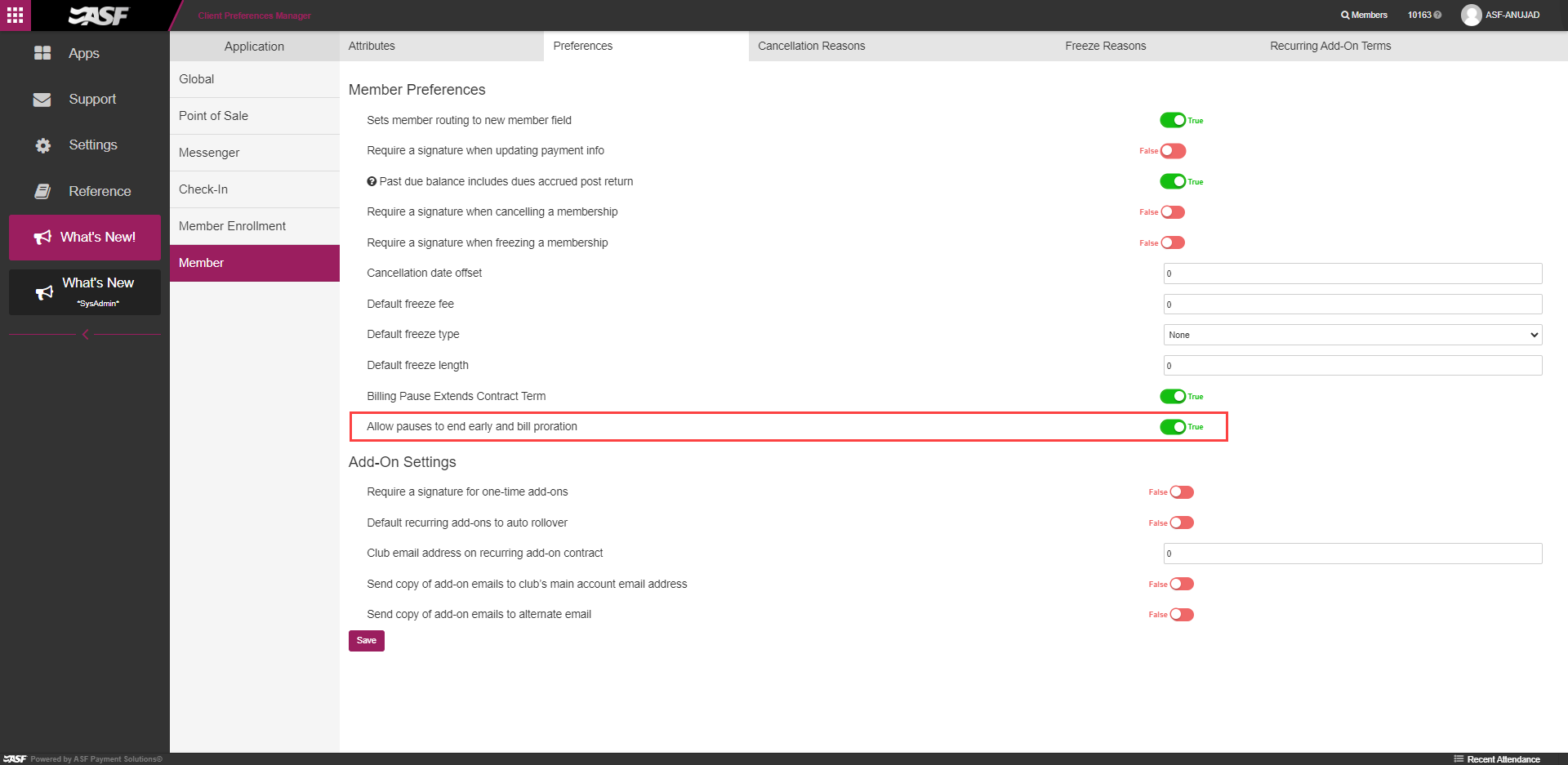
A preference is available in Settings > Client Preferences > Member > Preferences > Allow pauses to end early and bill proration. This defaults to False. This setting is visible to system admins only at this time.
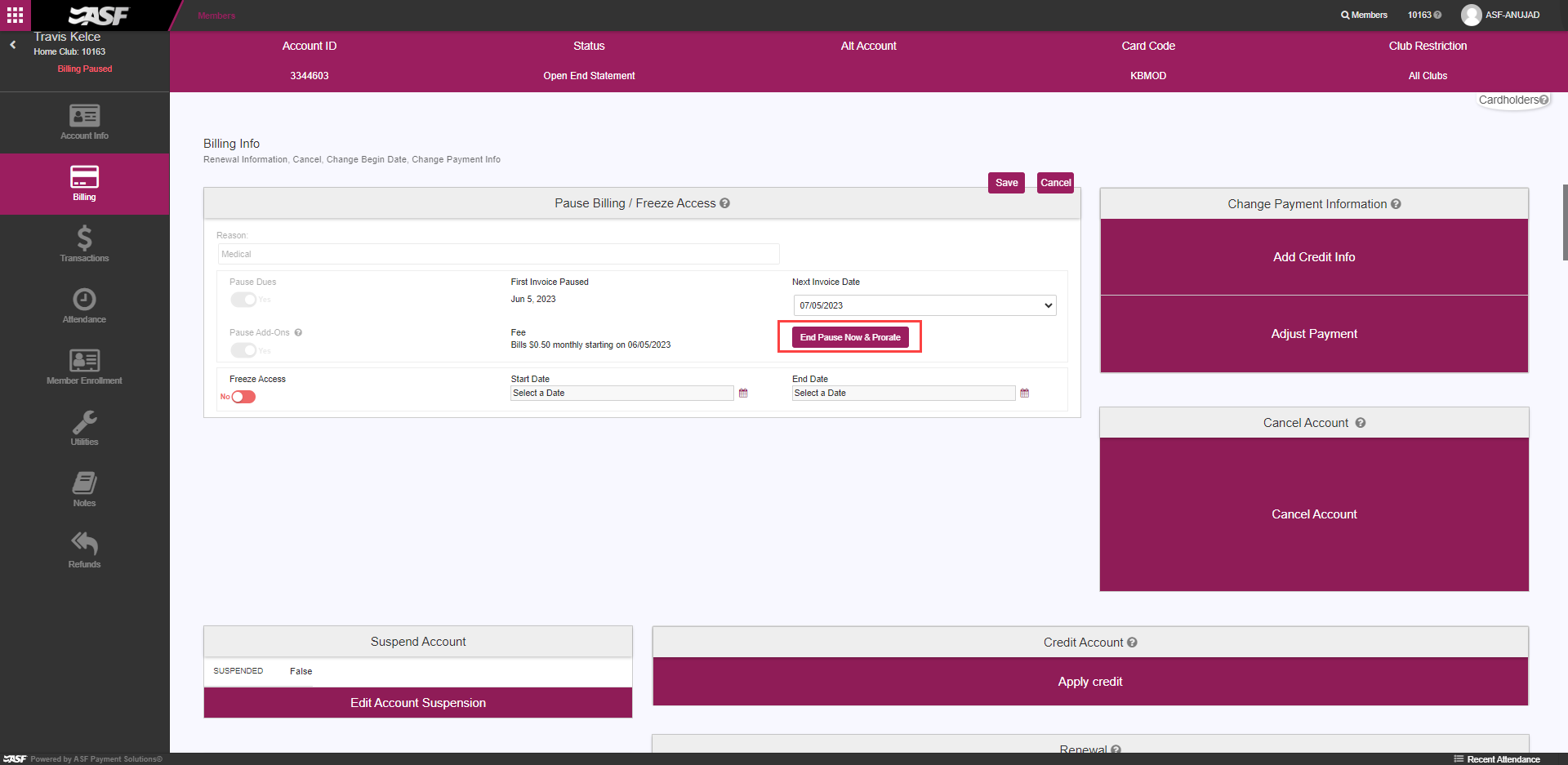
When set to True, an "End Pause Now & Prorate" button is available for accounts that are actively paused. This allows the option to end billing pauses immediately rather than editing to end at the end of a billing cycle. This option automatically generates an invoice for the prorated amount of dues for the current date through Next Invoice Date. The due date of the prorated invoice is the current date.
This invoice is immediately displayed in the Invoices section and available to take payment against or credit. The member account page may need to be refreshed to view this.
If the billing pause was configured to bill a fee, and the pause was shortened by a full payment period, then, in addition to generating the prorated invoice, the fee add-on is reduced by the appropriate number of payments.
If the membership is a term membership and billing pauses are configured to extend terms (see section above), the membership term is updated to reflect the proration, and the membership expiration date is updated accordingly.
Examples:
- A member has a monthly membership for 1/1/23 through 12/31/23. A billing pause is applied for 3 payments beginning on 3/1/23, and the next invoice date is 6/1/23. The billing pause is removed on 3/15. A prorated invoice is generated for 3/15 to 3/31 and normal billing resumes on 4/1.
- A member has a monthly membership for 1/1/23 through 12/31/23. A billing pause is applied for 3 payments beginning on 3/1/23, and the next invoice date is 6/1/23. The billing pause is removed on 4/1. A prorated invoice is generated for 4/1 to 4/30 and normal billing resumes on 5/1.
- If billing pauses are configured to extend terms: A member has a monthly membership for 1/1/23 through 12/31/23. A billing pause is applied for 3 payments beginning on 3/1/23, and the next invoice date is 6/1/23. The membership term is extended by 3 months, for a membership expiration date of 3/31/24. The billing pause is removed on 3/15. A prorated invoice is generated for 3/15 to 3/31 and normal billing resumes on 4/1. The term is updated to reflect the prorated pause from 3/1 to 4/1, for an expiration date of 1/1/24.
Freeze access #
A reason must be specified. The reason is either freeform entry or a dropdown selection if freeze reasons have been defined in Settings > Client Preferences > Member > Freeze Reasons.
An access freeze is effective as of the specified Start Date, and in effect until the specified End Date. During this time, members of the account are blocked from accessing the club in Online Check-In, and check-in APIs used by third-party door access systems.
Access freezes can be edited at any time.
Where can I learn more? #
Contact your ASF account manager at clientsupport@asfpaymentsolutions.com.