
When to waive an invoice #
When an invoice payment is intended to be waived, meaning payment is not expected to be collected, either via automated billing or by the club, the invoice can be waived using the application's "Credit" functionality.
Note: Refresh the page after saving a credit to see the updates to membership invoices.
How a waived invoice appears in Member Management #
In the Membership Invoices table, the Payment Method for the invoice displays "Club Credit".
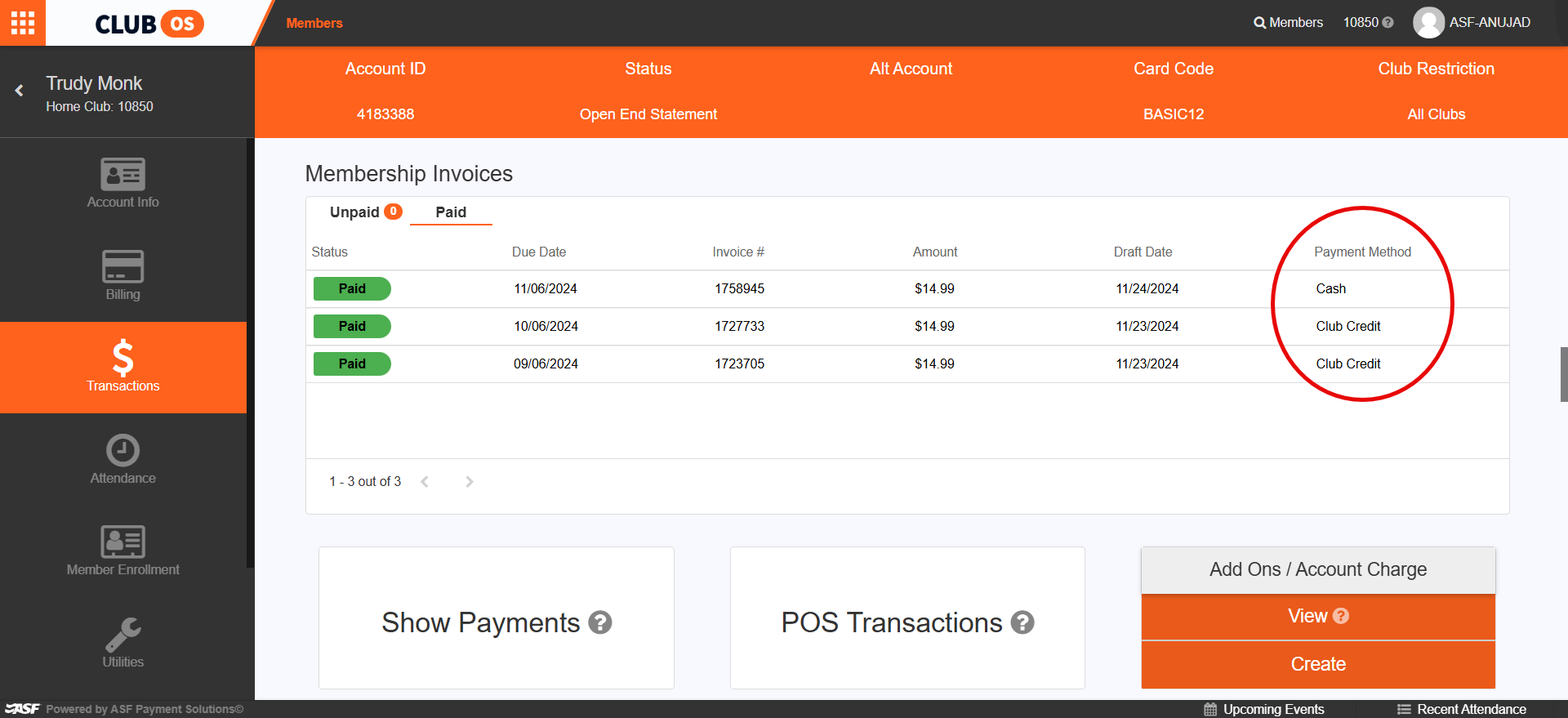
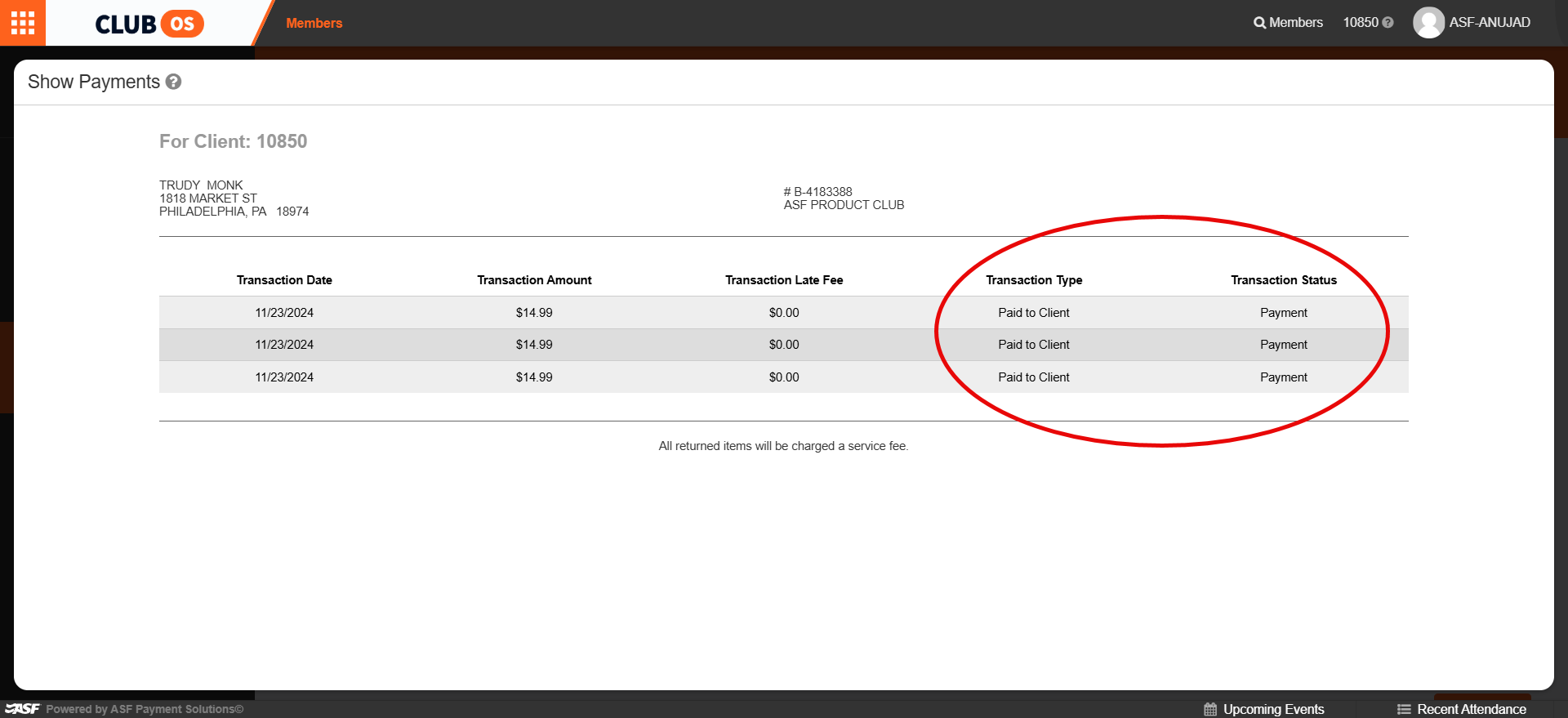
On the Show Payments page, the Transaction Type and Transaction Status display "Paid to Client" and "Payment" respectively. This is due to legacy billing functionality in which a "Credit" could represent either waiving payment, or taking payments in club. Use the Membership Invoices table to best understand the actual payment type of entries like this.
How waived invoices appear in reports #
Waived invoices and payments are excluded from the Revenue Analytics dashboard and the Revenue Detail report as they do not represent revenue collected.
Waived invoices and payments are included in the Credits (Payment made to Client) report as all credits, including those that represent waived payments or in-club payments, are included.
Where can I learn more? #
Contact your ASF account manager at clientsupport@asfpaymentsolutions.com.